 Search Tips
Search is based on keyword.
Ex: "Procedures"
Do not search with natural language
Ex: "How do I write a new procedure?"
Custom Render Resolutions
You can define custom render resolutions to supplement or replace Katana’s pre-defined resolutions. You can define resolutions through the UI, using Python, or with XML files.
Using the UI
You can set the render resolution through any node with a resolution field, such as a RenderSettings or ImageColor node. Each node with a resolution field has a dropdown menu of pre-defined resolutions, and text entry boxes for manual definition.
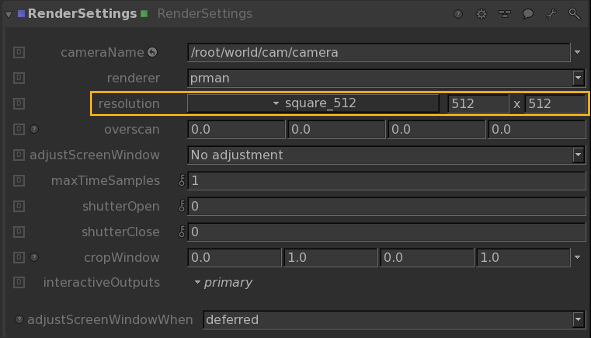
Resolutions defined manually are saved - and recalled - with the Katana project, but are not saved for use in other Katana projects. If you select a pre-determined resolution, that selection is saved - and recalled - with the Katana project.
Note: The resolution field in the Tab > Project Settings window specifies the resolution for 2D image nodes, not 3D renders.
Sorry you didn't find this helpful
Why wasn't this helpful? (check all that apply)
Thanks for your feedback.
If you can't find what you're looking for or you have a workflow question, please try Foundry Support.
If you have any thoughts on how we can improve our learning content, please email the Documentation team using the button below.
Thanks for taking time to give us feedback.