Search Tips
Debugging with UsdSuperLayer
If there are issues with your scene configuration, it may help to view how your stage is structured by:
• Opening the UsdGaffer node in USD Text View to see the USD code text. This can be done via Tabs > USD Text View. See more about this at USD Text View.
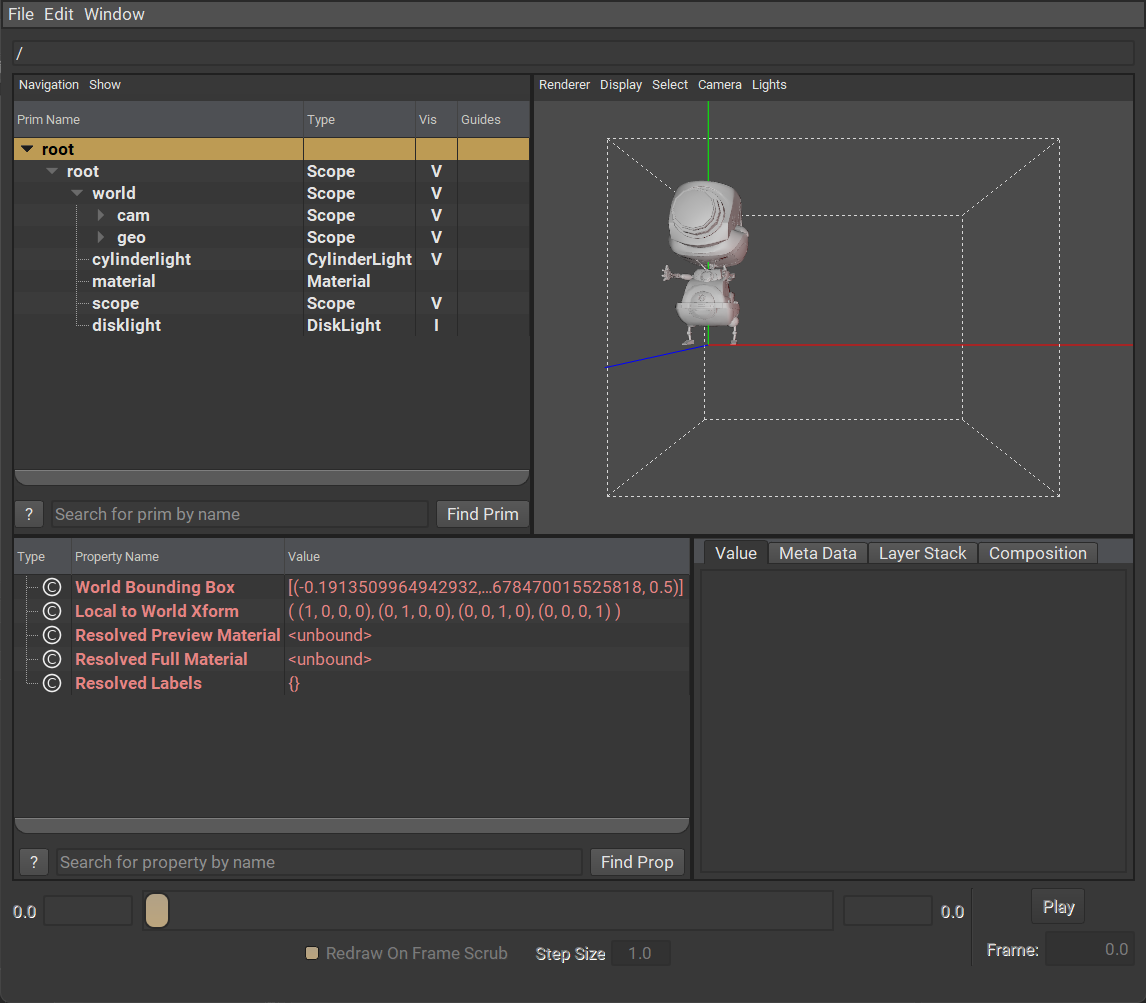
• Opening the usdview window to explore different parts of the scene. See more about this at Launching Usdview in Katana.
For example, when opening USD Text View, you could check if the nodes are correctly set as ‘def’ or ‘over’ here, check the structure, and any edits.
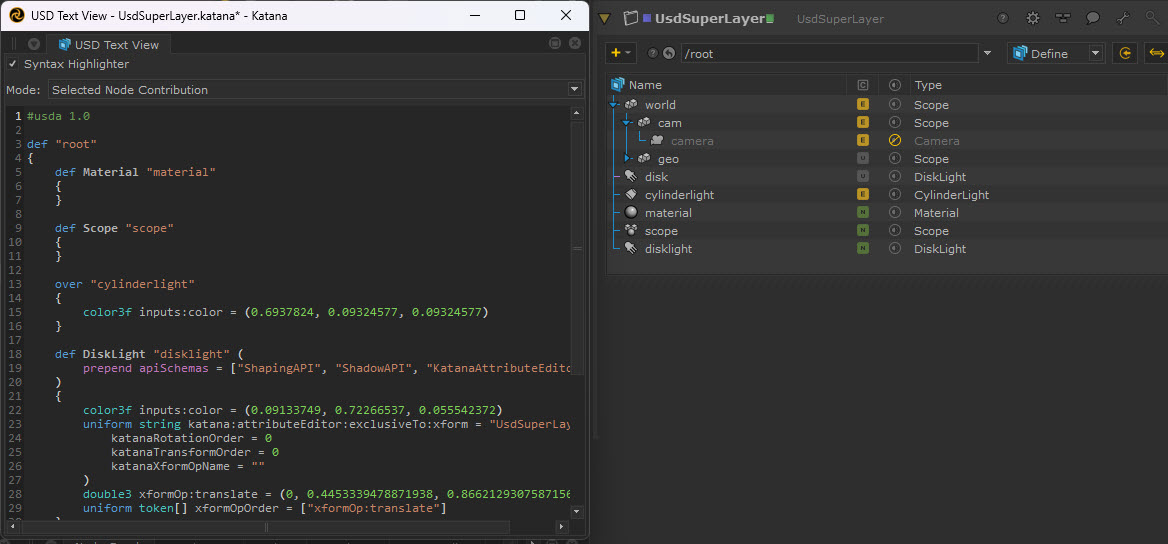
Note that edited prims will come up as an “over” on the light, whilst newly created ones will be defined “def” within the document, and only the changes made within that node will be stored, keeping it lightweight and efficient.
Or, by going to the Shelf Actions menu on the top bar  and selecting Load stage in usdview, this opens a visual representation of the USD stage. Here you can search for prim and view its properties.