 Search Tips
Search is based on keyword.
Ex: "Procedures"
Do not search with natural language
Ex: "How do I write a new procedure?"
Playing Animation
To play back animation:
| 1. | If it's not displayed, open the Play Controls Toolbar by right-clicking on any toolbars and selecting Play Controls. |

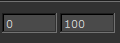
| 2. | Set the desired frame range. This plays only a subset of the animation. |
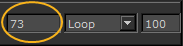
| 3. | To skip to a particular frame, type the frame in the frame box. |
| 4. | Set the playback mode in the dropdown. This can be: |
• Loop - keeps looping through the animation (start to finish).
• Bounce - keeps looping back and forth through the animation (start to finish, then backwards back to the start).
• Stop - plays the animation once and stop.
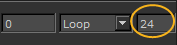
| 5. | Set the frame rate. |
| 6. | Use the play controls to play through the animation: |
|
Button |
Effect |
Shortcut key |
|
|
Moves back one frame. |
Ctrl/Cmd+Left |
|
|
Moves back to the first frame. |
Ctrl/Cmd+Down |
|
No button |
Moves to the last frame. |
Ctrl/Cmd+Up |
|
|
Plays forward. |
None. |
|
|
Stops playing. |
None. |
|
|
Moves forward one frame |
Ctrl/Cmd+Right |


You can also pull the timeline control back and forth to move through frames:

Sorry you didn't find this helpful
Why wasn't this helpful? (check all that apply)
Thanks for your feedback.
If you can't find what you're looking for or you have a workflow question, please try Foundry Support.
If you have any thoughts on how we can improve our learning content, please email the Documentation team using the button below.
Thanks for taking time to give us feedback.