 Search Tips
Search is based on keyword.
Ex: "Procedures"
Do not search with natural language
Ex: "How do I write a new procedure?"
Setting a Start Point
You can set the start point for each stroke. This can be either:
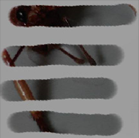
• Relative to the source point - Your first brush stroke starts from the source point, but for later strokes the cloned texture starts from a position relative to the source point. For example, if your second brush stroke starts from 2 cm below the first, the texture cloned there is the texture 2 cm below the source point in the original image. This is the default setting.
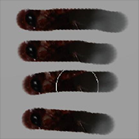
• From the source point - All brush strokes take their cloned texture starting from the source point. As you finish each stroke, you can see the source area preview snap back to the original source point.
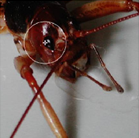
This example shows the difference between the two modes:
|
|
|
|
|
Source texture for |
Texture cloned relative to source point. |
Texture cloned not |
Sorry you didn't find this helpful
Why wasn't this helpful? (check all that apply)
Thanks for your feedback.
If you can't find what you're looking for or you have a workflow question, please try Foundry Support.
If you have any thoughts on how we can improve our learning content, please email the Documentation team using the button below.
Thanks for taking time to give us feedback.