Search Tips
Importing Node Graphs
To import Node Graphs, you first need to have a project open. Then follow the steps below:
| 1. | Navigate to File > Session > Import Node Graphs. |
The Import Node Graphs dialog opens.
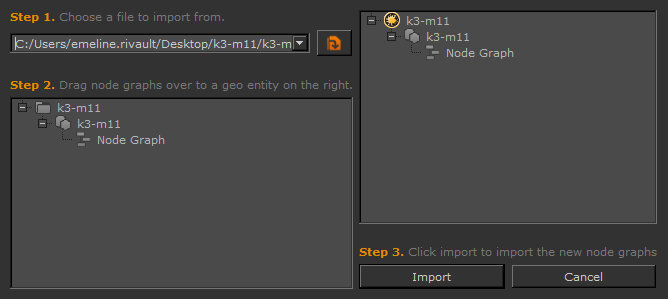
| 2. | Specify or browse for the .msf file. |
Selecting an appropriate file populates the Geo Entity tree on the left-hand side of the dialog with the data in the .msf file.
| 3. | The tree on the right-hand side of the dialog is your current, open project. Drag and drop Node Graphs from the tree on the left to any object in the tree on the right. |
| 4. | Once you have finished adding the Node Graphs you want to create, click Import. |
Once the import process has finished, you can continue to add more Node Graphs at any time.