Search Tips
Loading Animated Objects
To load your animated object:
| 1. | Select an animated .obj file sequence, and either: |
• create a new project with the file, or
• add the object to an existing project.
| 2. | On the Mesh Options tab, a new section displays, letting you set which frames to import. |
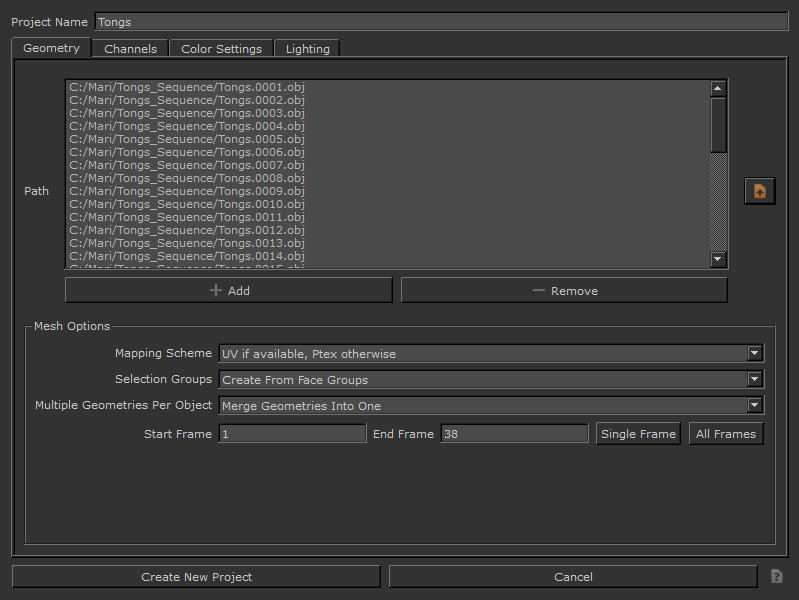
In addition to the three mesh options offered when opening a new project, you can select:
• Start Frame - the first frame of the range that you want to import.
• End Frame - the last frame of the range that you want to import.
• Single Frame - set the controls so as to only import the first frame in the animation.
• All Frames - set the controls to import all the frames within the animation.
| 3. | Finish creating the project or adding the new object as normal. |