Search Tips
Editing the Files Externally
In your preferred editor, open the file and edit it as required.
If you edit the whole snapshot and then project it all back onto your model in Mari, you may get some artifacts.
Typically, you may see a black line at the “edges” where the projected image wraps around the surface.
|
|
|
|
|
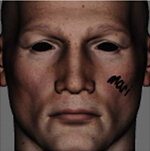
The original view in Mari, as the projector grabs it. |
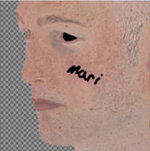
We edit the whole |
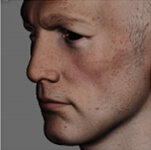
Projected back onto the model, and rotated to show the blurring where the projected image “wraps” around the surface at the nose and cheek. |
To avoid this:
• Set your projectors up so they face straight onto the area you're working on.
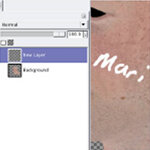
• When editing the projected image, work on a different layer, only using the areas on the snapshot that you want to change.
|
|
|
|
|
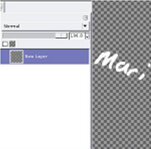
This time, we've created a new layer in the snapshot. We're only making changes on the new layer. |
Now we're happy with our changes, we remove the background layer and save the file. |
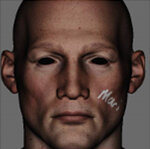
Now when we project it back onto the model, Mari only adds the “changes” layer. There are no artifacts, and it all looks good. |