Search Tips
Interpolation
You can control how a property is interpolated at the frametimes between two keyframes by setting the Interpolation Mode of the preceding keyframe.
You can do this by right-clicking the keyframe, or in the keyframe’s properties panel. The Interpolation Mode has five options listed below. In each of the images, the value of the first keyframe is 1.000, and the value of the second keyframe is 0.100.
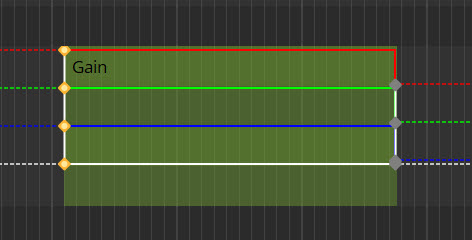
• Constant - Creates a new keyframe based on the value from the keyframe before the current frametime.
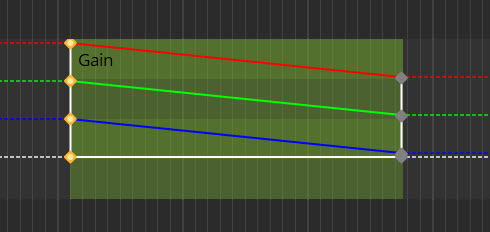
• Linear - Chooses the keyframe based on the middle-ground of the two other keyframes. This creates a constant speed for the change between the keyframes.
• Ease in - Creates a longer lead in from the first keyframe, before speeding up towards the second keyframe.
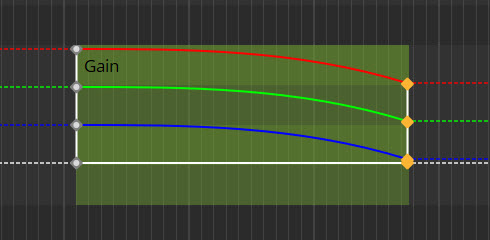
• Ease out - Creates a faster lead in to the transition from the first keyframe, before slowing down towards the second keyframe.
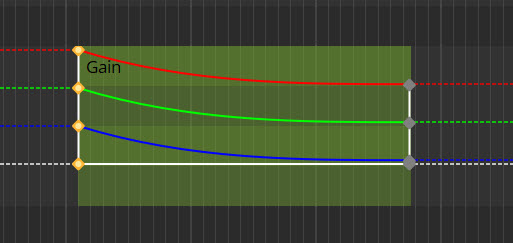
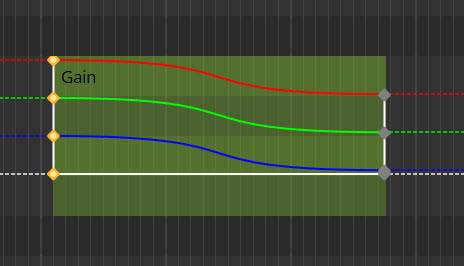
• Ease in/out - Transition moves slowly near either keyframe but more quickly in the middle of the section.