Search Tips
Nuke Stage Camera Mapping Node Graph Rundown
To set up this project, follow the Readme.txt file inside of the project folder.
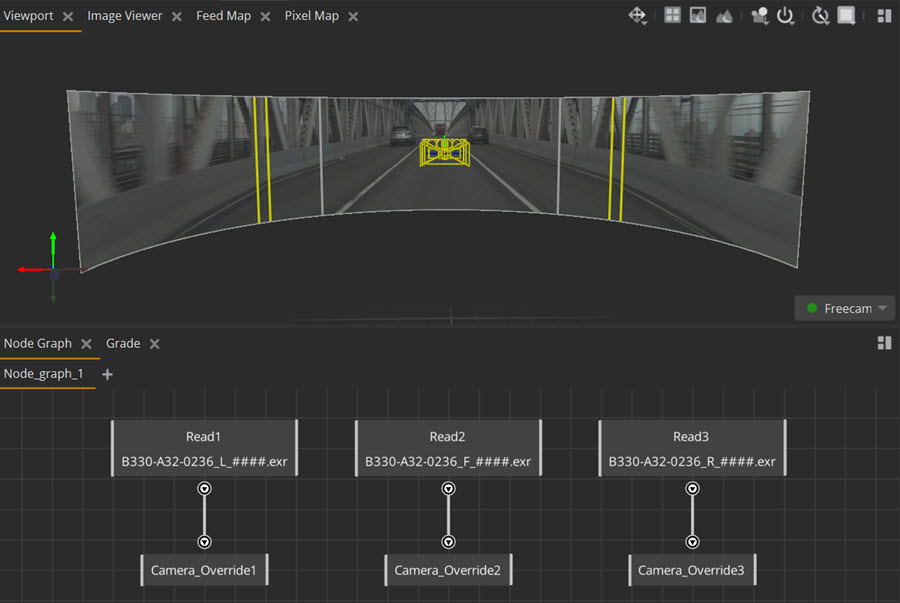
How node graphs work
Each node has a different purpose, like a building block for creating effects and manipulating images in your scene.
They are connected via pipe connections. You can build node sets up like layers via these connections. You start (normally at the top) with a node that reads the image or texture you want to edit, and each subsequent node builds onto the subset you already have. This way you can build up effects in your node graph.
All nodes found in Nuke Stage are Nodes.
Node graph rundown
Read nodes
• There are three Read nodes in this graph: Read1, Read2, Read3. They each contain the file path to the three image sequences that are projected on the wall.
Note: For full node parameters and explanations, go to the Read.
Output nodes
The Camera_Override node displays the output of all the nodes connected to it so it can be added to a scene, display or camera. You can view specific camera outputs in the Image Viewer by selecting the Camera_Override node you want to see.
There are multiple Camera_Override nodes in this project. To ensure that each node is projecting in the right area of the stage, each Camera_Override node is connected to a specific camera and output. Once a camera override has been created for the camera and assigned to an Output, the camera will project the contents of the Camera_Override node onto the wall.
How the nodes work together
For the contents of the Read node to be displayed in the Viewport, it needs to be connected to the Camera_Override node.
The nodes are connected together by a pipe connection. This connection shows that the information in the Read node will be displayed in the scene via the Camera_Override node.
In this example, the Read and Camera_Override nodes are connected to the matching numbers for readability. However, if you changed the connection set up to Read1 fed into Camera_Override2 and vice versa, this would switch the display location of the different images. This is because the node graph is now telling Camera_Override2 to output the image sequence from Read1.
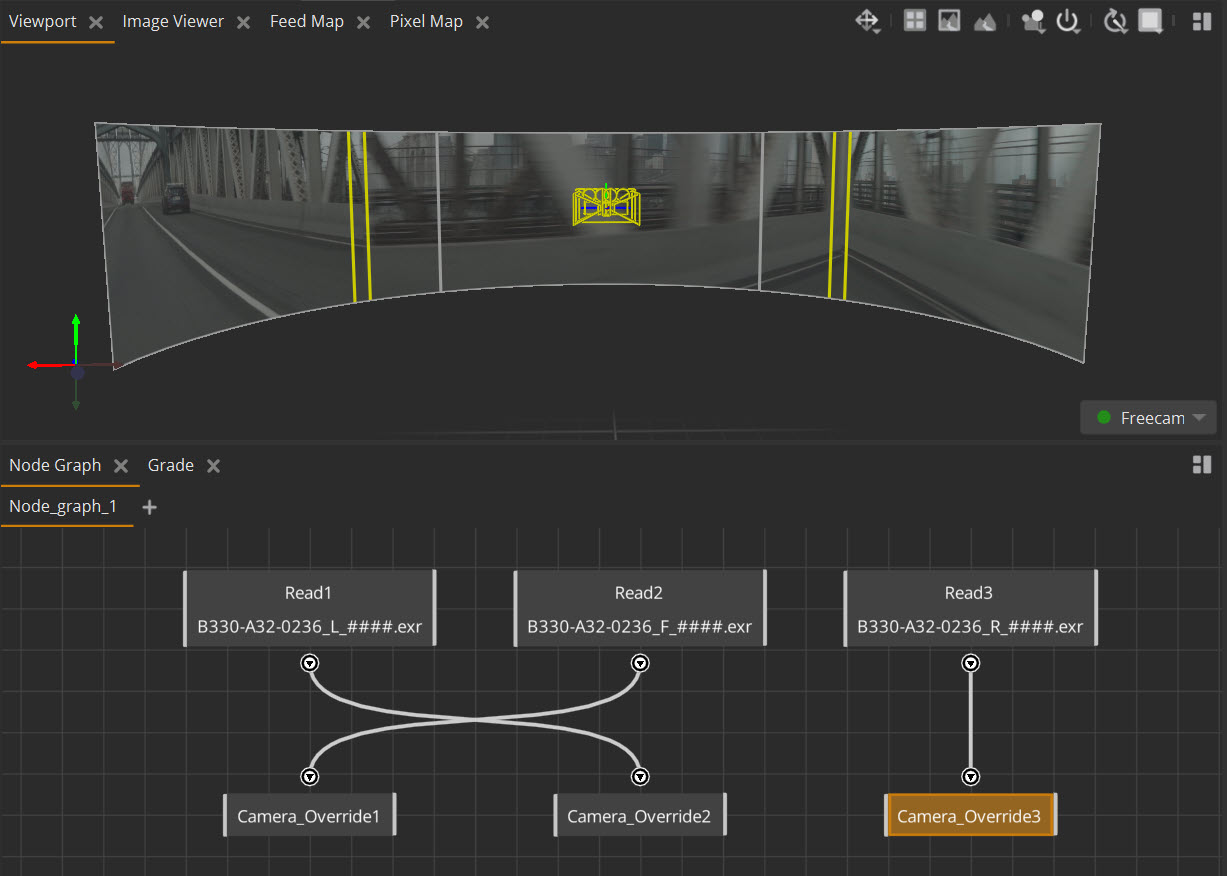
Note: Node graphs can be organized in any orientation, but it is common for them to be constructed and read top-down.
You can quickly add, delete, connect and enable/disable nodes in your node graph. For full Node Graph controls, go to Node Graph.