Search Tips
Export From Your Scene
To export your 3D data from the New 3D system, you can use the GeoExport node. Currently this node allows for the exporting of a flattened USD stage as .usd, .usda, .usdc, .abc, or .ply files.
Note: The export of .ply files is intended for the export of Gaussian Splats but it also supports exporting meshes. However, note that the two cannot be combined - i.e. you can't export a scene which is a mix of meshes and splats.
Note: Skew and non-uniform scales applied to Gaussian Splats will introduce artifacts into higher-order spherical harmonic data, when exporting to the .ply file format.
Note: For those looking to export geometry to the Classic Nuke 3D System, from the New 3D System, you can export a flattened USD stage and import the USD file via the ReadGeo node.
To export your scene:
| 1. | Add a GeoExport node downstream of your scene in the node graph. |
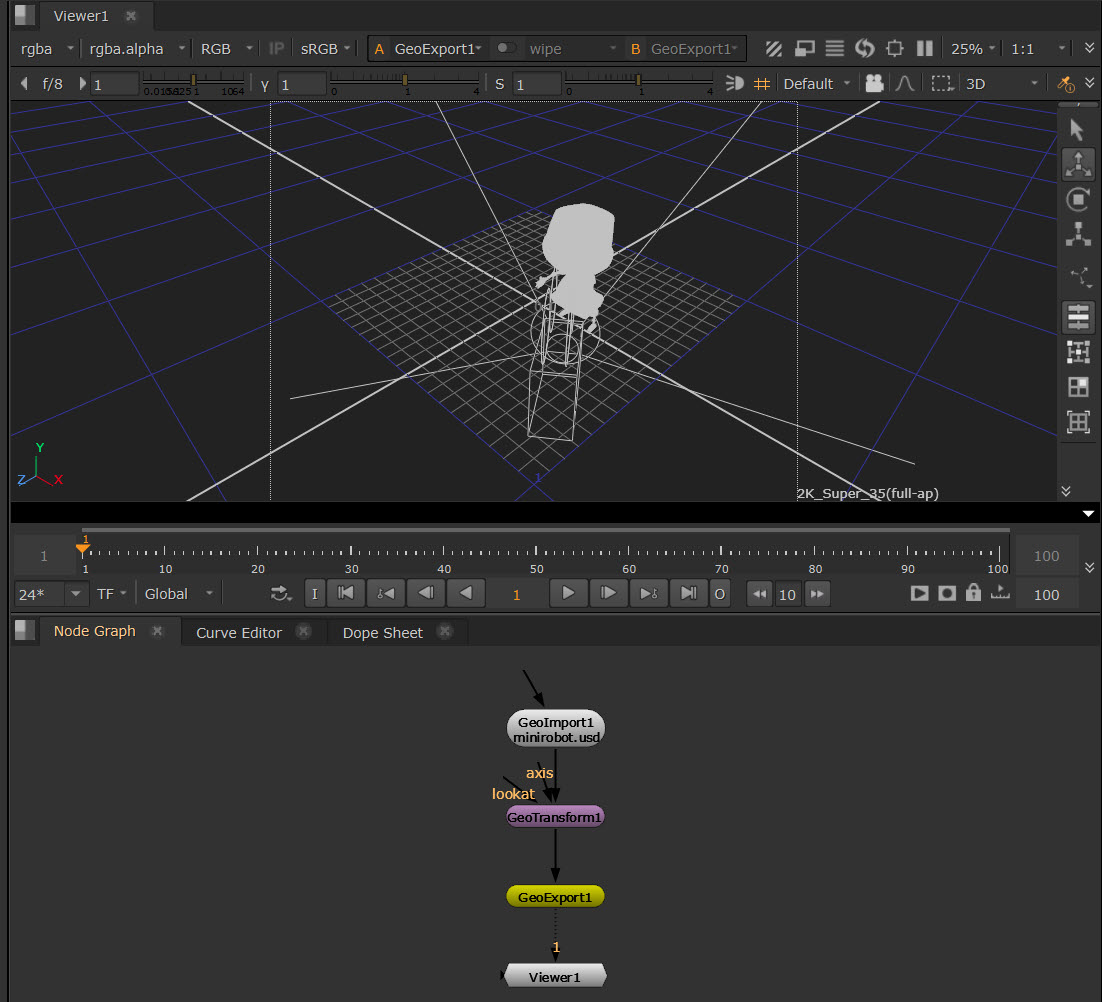
| 2. | In the GeoExport node Properties, select a Format for your export files from Alembic (.abc), USD (.usd, .usda, .usdc), or .ply for Splats. If you select usd, you’ll also get further USD Options below where you can select from ASCII or Crate. |
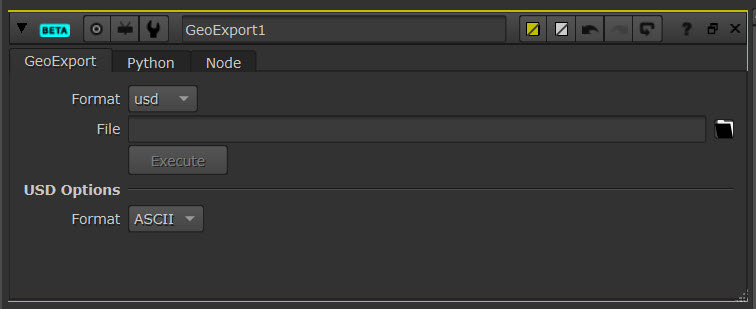
| 3. | Choose a file path in the File field. |
| 4. | Select the Execute button and your export will be saved in the location specified above. |
Export Node
Exports a flattened stage to a USD file.