Search Tips
Rendering Lights
Lights can be rendered with ScanlineRender.
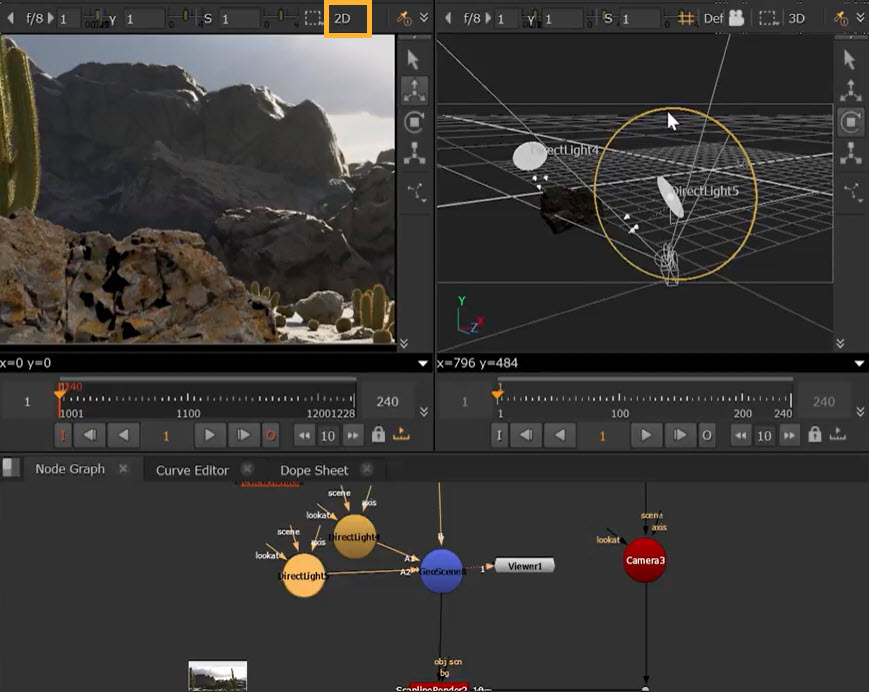
• First, you should connect the lights to a GeoScene node.
• Then connect the GeoScene into the obj/scn input of the ScanlineRender node.
• To view your render, simply toggle the Viewer back to 2D. This shows you a representation of the render in the Viewer.
Some lights have specific ScanlineRender Options such as Falloff Type, Blur Size, Mirror X and Mirror Y which are not visible in the Viewer and will only be applied in the render.
Node Reference
Creates an adjustable, directional light in a 3D scene.
Creates an adjustable, environment light in a 3D scene.
Creates a point in 3D space that emits light in every direction.
Creates a point in 3D space that emits a cone-shaped light.
Renders all the objects and lights in a scene.