Search Tips
USD in Nuke's Classic 3D System
Universal Scene Description (USD) is an open source file type from Pixar that supports any number of assets organized into virtual sets, scenes, and shots. You can share .usd files freely between applications that support the format and edit them non-destructively.
Note: Nuke currently supports .usd and .usda files and can display color, normals, and UV information in the Viewer.
Note: For more information on the USD format, see https://graphics.pixar.com/usd/docs/index.html
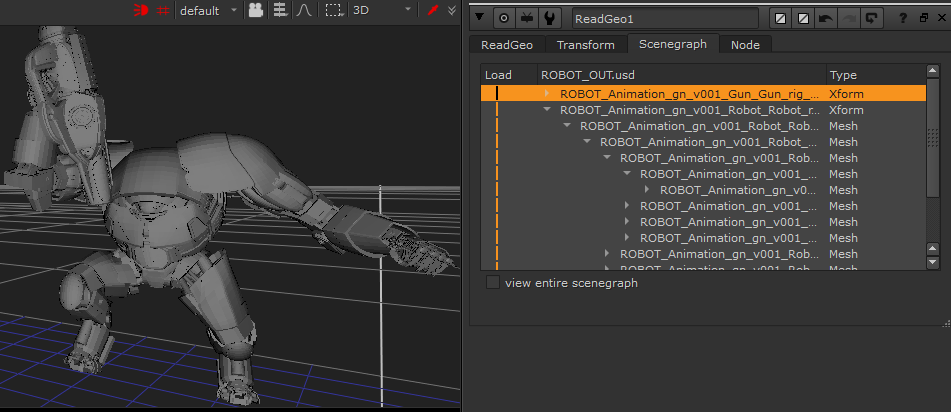
You can import cameras, lights, meshes and point clouds from USD files (.usd file format) into a Nuke Classic 3D System scene. Data imported from .usd files are brought in using the relevant native 3D nodes in Nuke. For example, reading in lights from a .usd file are imported as Light nodes, and cameras are imported as Camera nodes. Meshes and point clouds are imported to ReadGeo node types.
This means if you’ve started using USD elsewhere in your pipeline, you can continue to use it to carry the data you need directly into Nuke, without converting to a different format.
Note: The New 3D System is more suited to USD scenes. To learn more about USD in the New 3D System, see 3D Compositing with the New 3D System.
Choosing the 3D Viewer Type
Nuke's New 3D System nodes use a Hydra renderer in the 3D Viewer, and nodes in the Classic 3D System use a "Nuke" renderer.
The Viewer's Renderer knob defaults to GL. This is both the Hydra and Nuke renderers, depending on if you are viewing New 3D or Classic 3D nodes.
Note: The New 3D System has the ability to select render delegate. Learn more about the New 3D System and Hydra 2.0 at Hydra in the 3D Viewer
The Viewer renderer option is also included in the Preferences under Panels > Viewer > default renderer. Changing the preference only affects new Viewer nodes.
Learn how to import mesh, point cloud, light, camera, and axis data into Nuke from a USD file.
Learn how to use the Scene Graph to show and hide loaded USD items, as well as transform, and add materials to USD items.