Featured
Tip: Hiero Tips #0326 Use the filter dropdown at the top of the Annotations Panel to only show comments from specific clips or just the sequence. See more at Annotations Tools. (All Hiero Tips)
User Guide

Find out how to install and license Hiero on your machine to the point where you are ready to start work.
User Guide
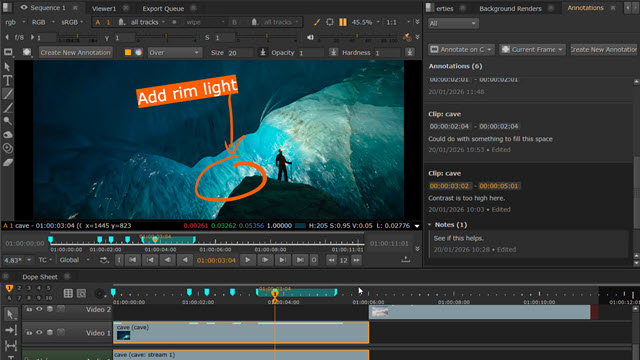
The Annotations Panel and Annotations Toolbar allow you to add comments and drawings to your clips and sequences in the Viewer.
Resources

A handy list of the file formats Hiero can read and write, including supported codecs and notes on use. The list includes video and audio formats.
Tutorials
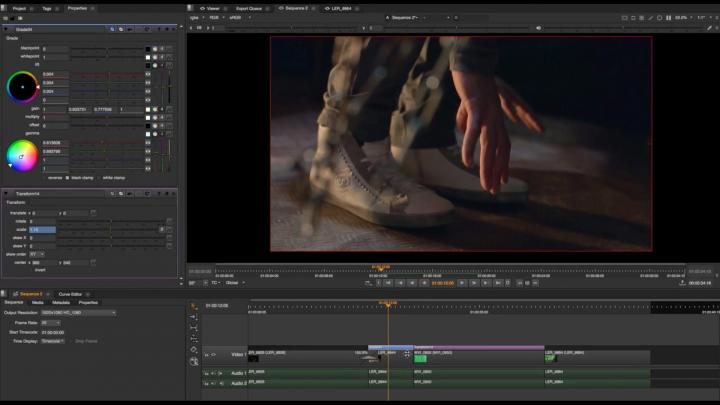
Take your Hiero skills to the next level with the tips and tricks in these tutorials designed to improve your workflow and solve common compositing challenges.
User Guide

Conforming describes the process of matching up the footage from a shoot with the required edit decisions to create a meaningful timeline.
Resources
A reference guide to the keyboard shortcuts for common tasks, broken down into UI categories.