Featured
Tip: Hiero Tips #0726 Manage versioning by using version linking to define if a shot version is linked to its source clip version. See Version Linking. (All Hiero Tips)
User Guide

Find out how to install and license Hiero on your machine to the point where you are ready to start work.
User Guide
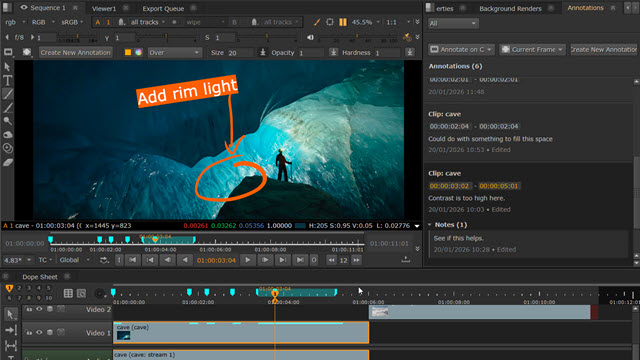
The Annotations Panel and Annotations Toolbar allow you to add comments and drawings to your clips and sequences in the Viewer.
Resources

A handy list of the file formats Hiero can read and write, including supported codecs and notes on use. The list includes video and audio formats.
Tutorials
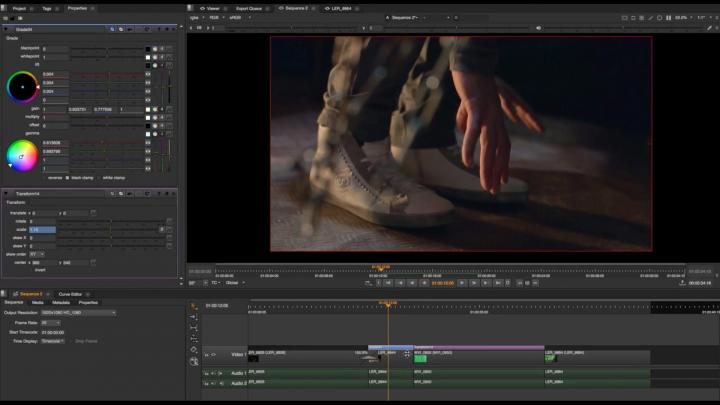
Take your Hiero skills to the next level with the tips and tricks in these tutorials designed to improve your workflow and solve common compositing challenges.
User Guide

Conforming describes the process of matching up the footage from a shoot with the required edit decisions to create a meaningful timeline.
Resources
A reference guide to the keyboard shortcuts for common tasks, broken down into UI categories.