Search Tips
Conversion Nodes - KatanaToUsd/ UsdToKatana
The KatanaToUsd node and the UsdToKatana node are conversion nodes used to get data from Katana’s Geolib space to USD’s native space and vice versa.
KatanaToUsd will look in the SdrRegistry for the USD equivalent of the Geolib input data. It will set the USD primitive to an error state if it can’t find a suitable type.
This works with a plugin system to support the conversion of different types. This allows for the implementation of custom primdecorators to add any additional types to the list of supported convertible types.
These nodes support the conversion of the following types:
• Groups
• Assemblies
• Components
• Polymeshes
• Subdivided meshes
• Cameras
• Materials
• Lights
• Light Linking
• Light Filters
• Facesets
• Custom Attributes
• Timesamples
• Visibility
• Volumes
• Custom Primdecorators
KatanaToUsd - Example:
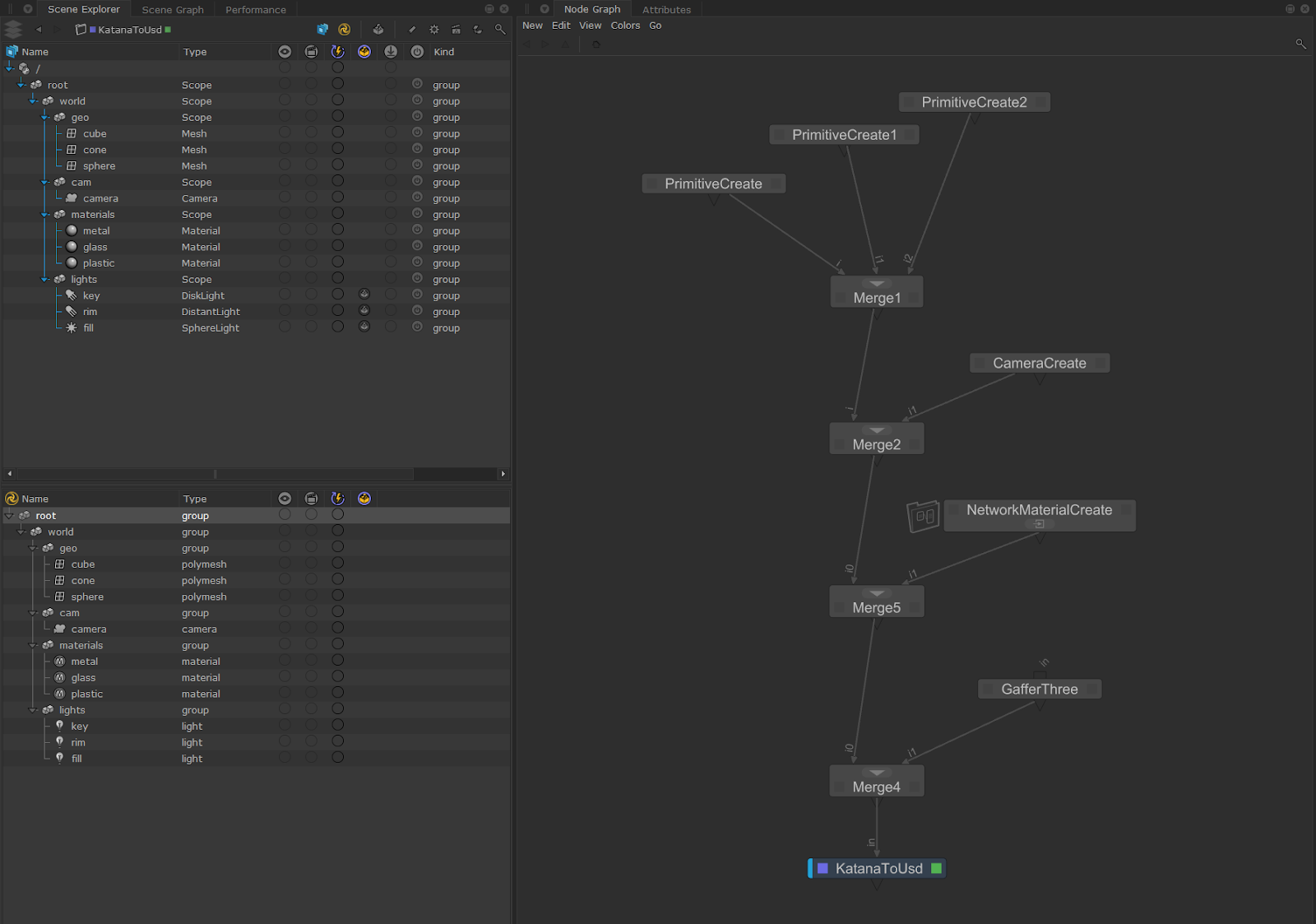
In the example below we are using the KatanaToUsd node to convert all of our Geolib data to USD data, including geometry, cameras, materials and lights.
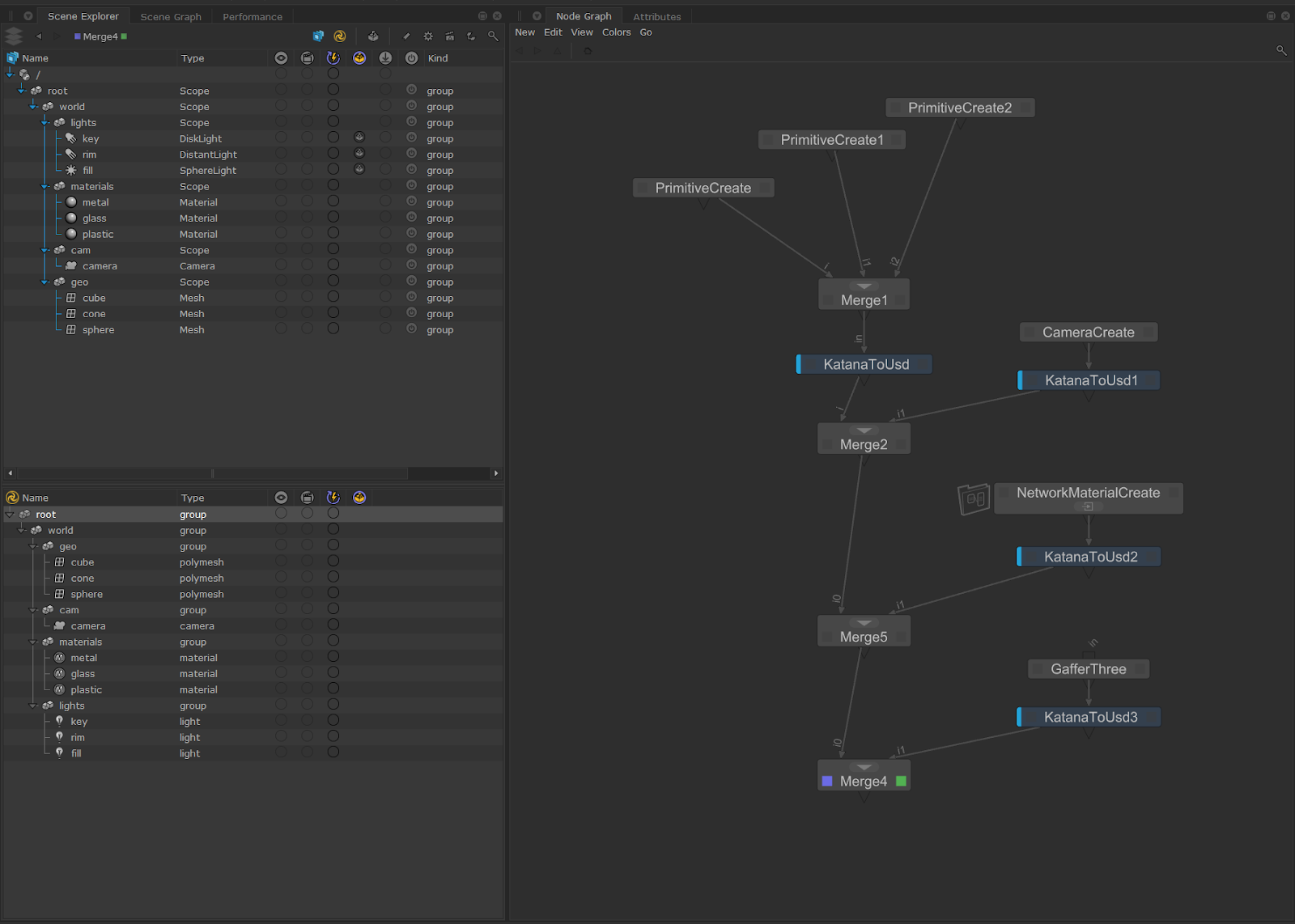
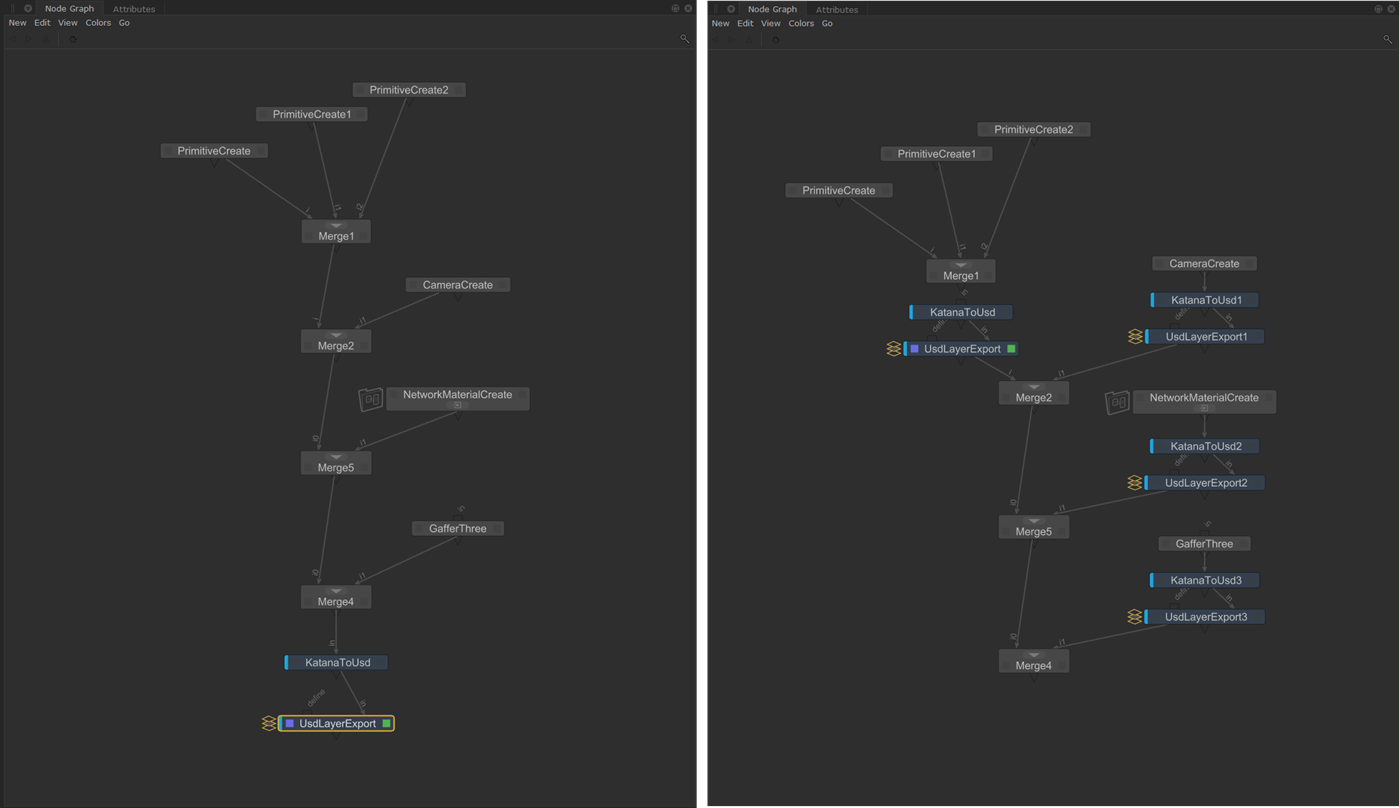
Since the KatanaToUsd node provides a continuous conversion, it uses a caching strategy to improve performance. However, changing an upstream parameter requires the node to reconvert its input. It is recommended to use multiple KatanaToUsd nodes in your project as well as using this in conjunction with the UsdLayerExport node and its ‘useExported’ functionality to improve performance.
Video: Discover how you can utilize KatanaToUsd to convert your existing material networks over to USD - Katana 8.0 | Converting Materials To USD.
UsdToKatana - Example:
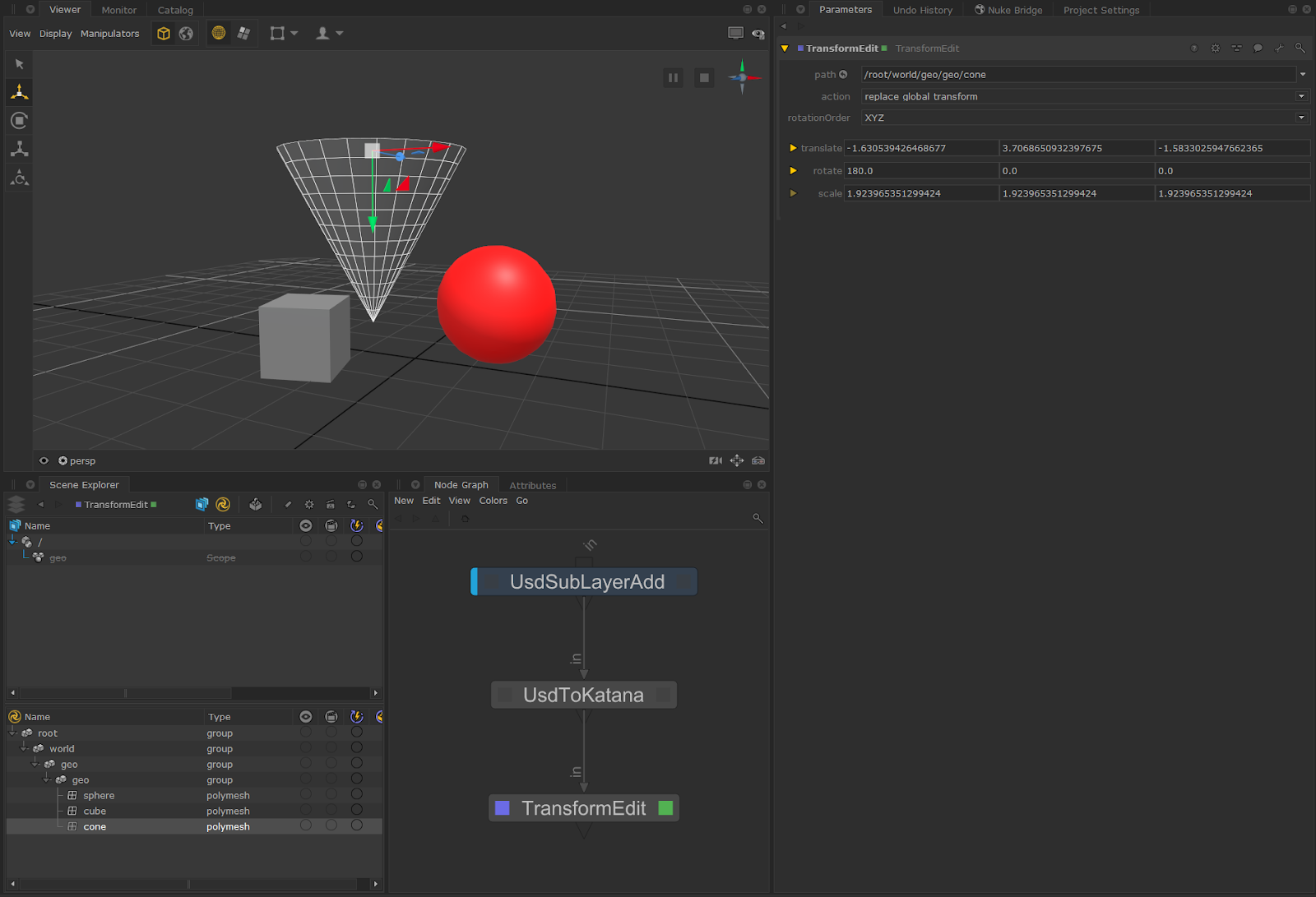
UsdToKatana converts USD Native data to Geolib data and uses the same underlying infrastructure as the UsdIn node (as the UsdIn node will immediately do this conversion on all incoming USD layers).
The data can then be used for Katana-specific workflows. Further Katana nodes can then be added downstream, as in the example below.
Light Filter Conversion
Light filters can be converted from Katana to USD, and vice versa, via the KatanaToUsd and UsdToKatana nodes.
For a Katana light filter that is a child of a light, the equivalent USD light prim will have the USD light filter automatically added to its light:filters relationship. For light filter references, the referenced light filter is added to the parent light's light:filters relationship.
When converting a light filter from USD to Katana, if a USD light and an associated light filter do not have a parent-child hierarchy, then on conversion to Katana, a light filter reference location pointing to the converted light filter reference location is created under a light. USD light filters' filters collection members are converted to the equivalent linking attributes on Katana side.