Search Tips
Creating Mesh Lights
You can create mesh lights using the UsdSuperLayer node. If you have added geometry as an incoming prim to the UsdSuperLayer, you can then use the treeview to add a MeshLight to it, creating an effect where light comes from inside the mesh.
| 1. | Make sure you have added your mesh as an incoming prim to the UsdSuperLayer (to find out how to do this, see Adding Incoming Prims). |
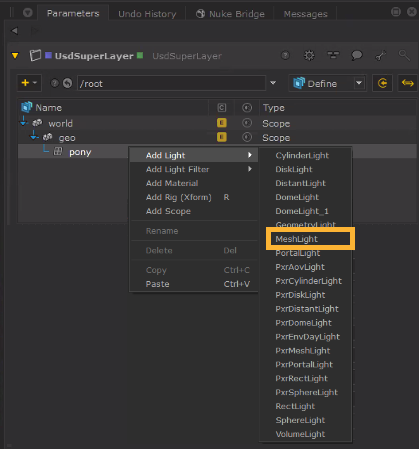
| 2. | Select the mesh prim that you want to add a light to in the treeview. In this example we have selected the 'pony' mesh, which was previously converted to USD and added as an incoming prim. Right click the mesh and go to Add Light > MeshLight (or select your renderer's MeshLight option). |
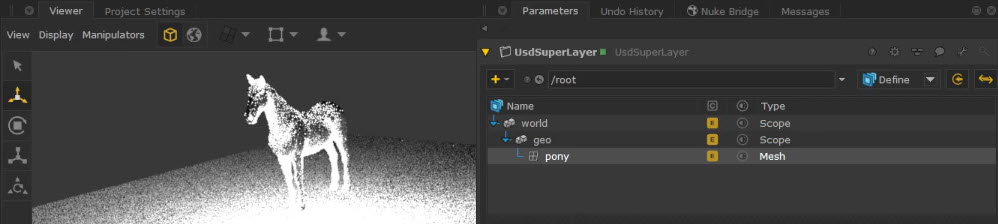
| 3. | This will edit the existing mesh to apply mesh light API and shading and shaping API to it. You'll notice that there is a E (Edited) state on your mesh, and a light being emitted from the mesh in the Viewer. |
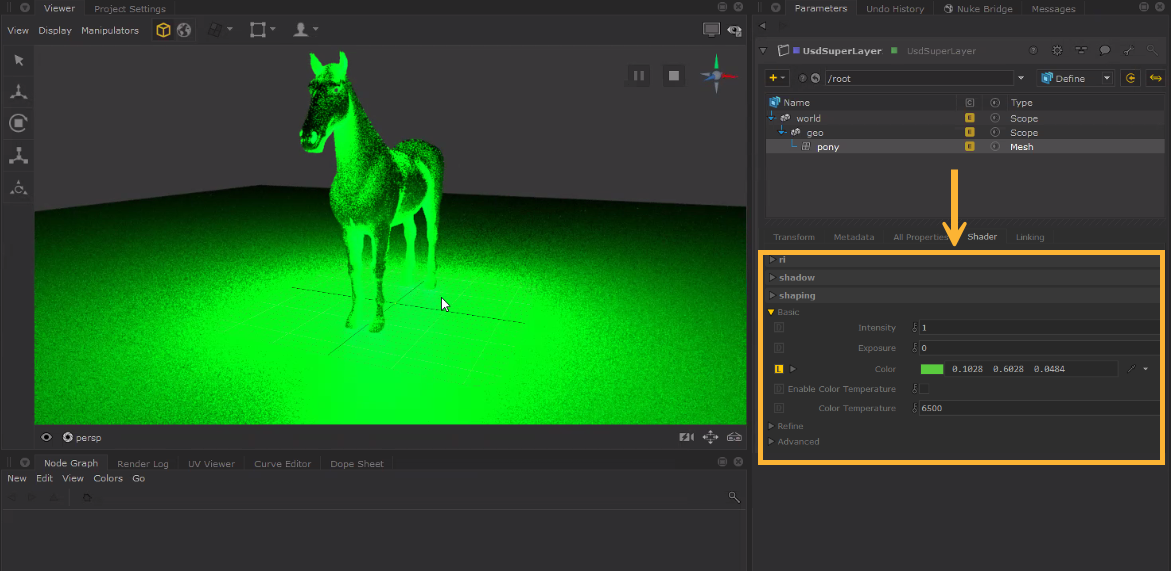
| 4. | The mesh light parameters can then be found in the Shader tab underneath the UsdSuperLayer treeview. You can use this section to adjust parameters such as Color and Intensity. |