 Search Tips
Search is based on keyword.
Ex: "Procedures"
Do not search with natural language
Ex: "How do I write a new procedure?"
Contact Support
Exporting Individual Files
If the object has less than 20 UV patches, the Export dialog box has a Named Files tab. This lets you individually pick the patches to export, and where to export them.
| 1. | Click on the Named Files tab. |
The tab shows all the patches on the object.
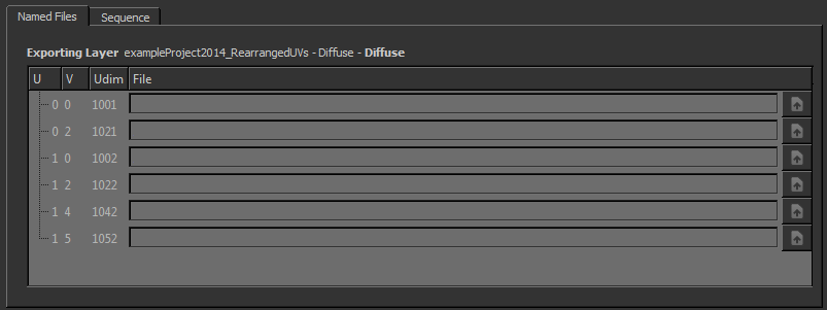
| 2. | For each patch, set the file to export it to. |
You can either:
• type the file path and name directly, or
• use the open  button to open a navigation window to create a new file in a directory, or select an existing one to overwrite.
You can now Setting Small Texture Preferences and Exporting the textures.
Tip: By default, if your model has more than 20 patches, the Named Files tab does not display.
To change this, set the Patch Cutoff preference to a number greater than the number of patches in the file. Alternatively, you can use the MARI_NAMEDFILEIMPORT_SEQUENCELIMIT environment variable to override the preference setting. Please see the section on Environment Variables That Mari Recognizes for more information on environment variables.