Search Tips
Cloning from a Floating Image
| 1. | In the Tool Properties toolbar at the top of the screen, enable the Image Clone checkbox: |

| 2. | Make any other changes you want to the size, rotation, stretch, or position of the source image. |
This is exactly the same as in the normal mode.
| 3. | To move the image next to where you want to paint, Ctrl/Cmd-click on the floating image to set the source point. |
The clone source preview displays in a red circle, while your brush is the white circle.
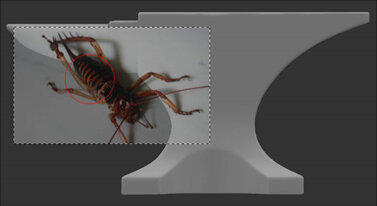
| 4. | Paint normally. |
Mari clones the texture as you paint, taking the resolution for the cloned texture from the source image. For example, a 4k image provides cloned texture at 4k resolution.