Search Tips
MtlXStandardSurface: MaterialX Shader
The MtlXStandardSurface node allows you to generate your own MaterialX shaders in Nuke.
In this example, we will use MtlXStandardSurface to add base, normal, specular roughness, and metalness texture maps to a metal floor sheet to give a realistic metallic look.
| 1. | Insert a MtlXStandardSurface node into your scene's node graph. |
| 2. | Use Read nodes to add a texture source images and connect them to the MtlXStandardSurface node’s base, norm, spec rough, and metal inputs. |
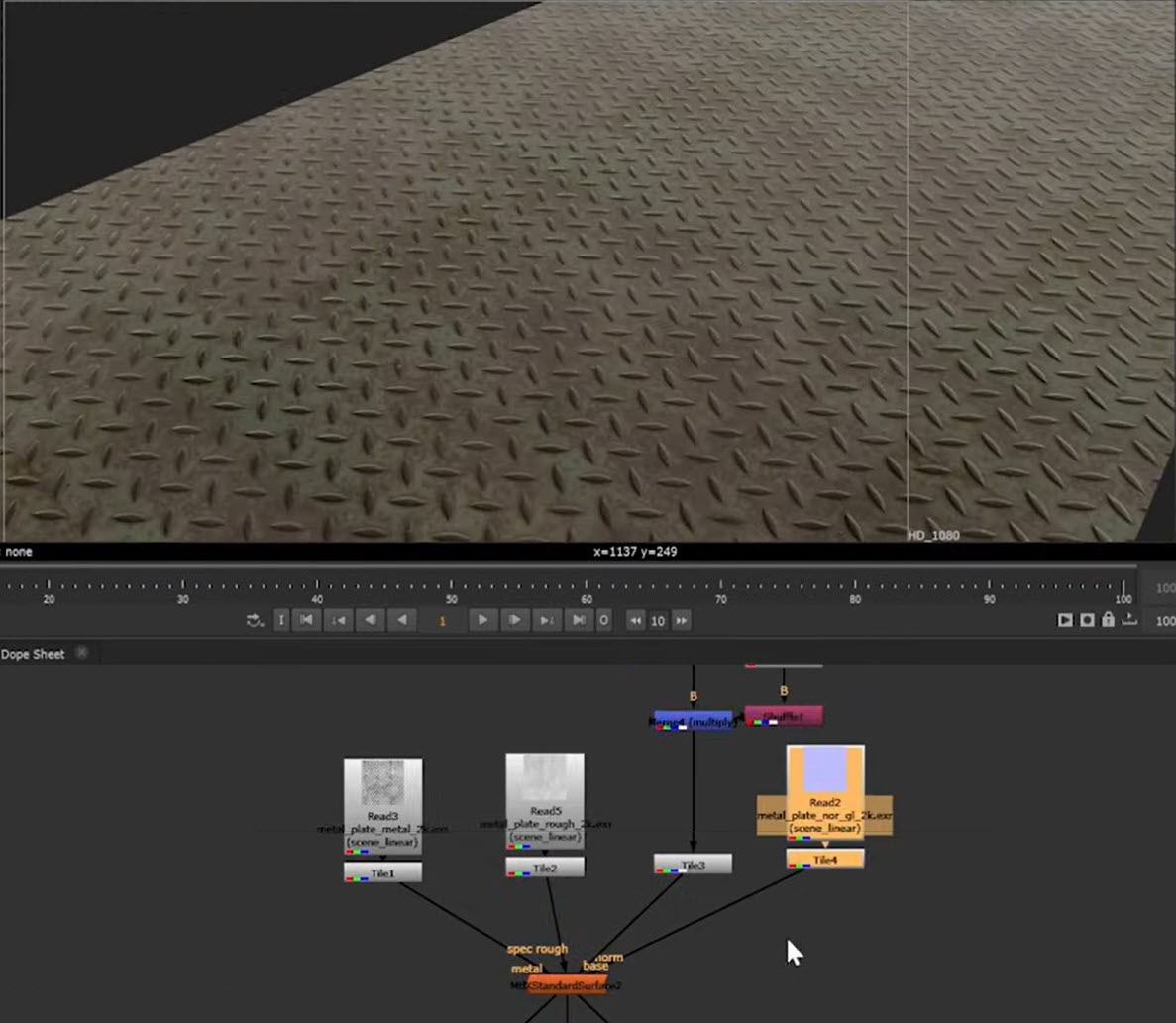
Base drives the main texture of the surface. Norm controls the main surface normal used for lighting and reflections, helping to protrude and break up the surface.
The specular roughness controls how sharp or soft reflections appear across the surface, and metalness controls how metallic the surface behaves.
Note: There are several other inputs such as coat and emission - see MtlXStandardSurface in the Reference Guide to learn more about these.
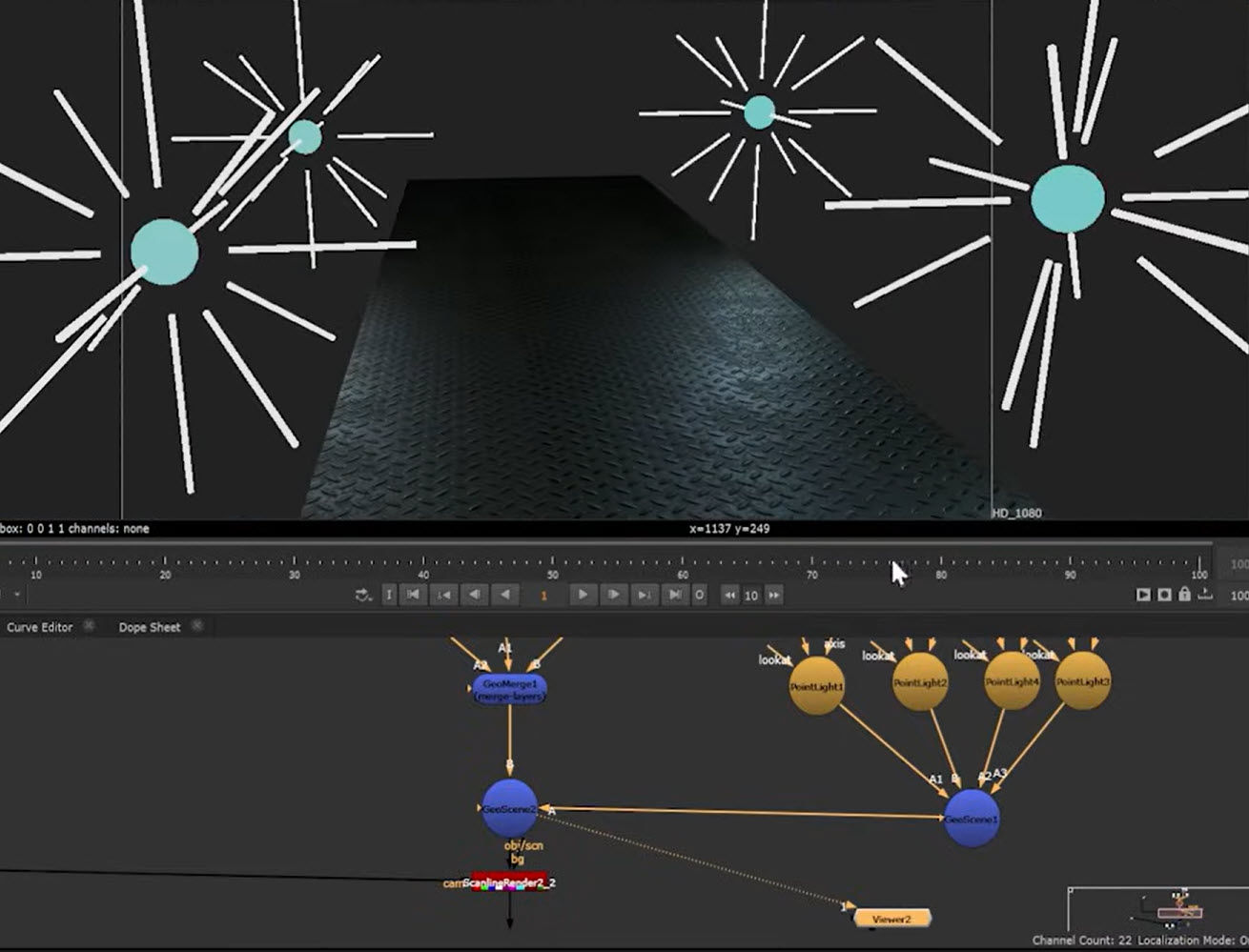
| 3. | By adding lights to the scene, you can see the textures and reflections more realistically. Lights can be connected via GeoScene. Here we have added several PointLight nodes. Read more about how to use lights at Using Nuke Lights. |
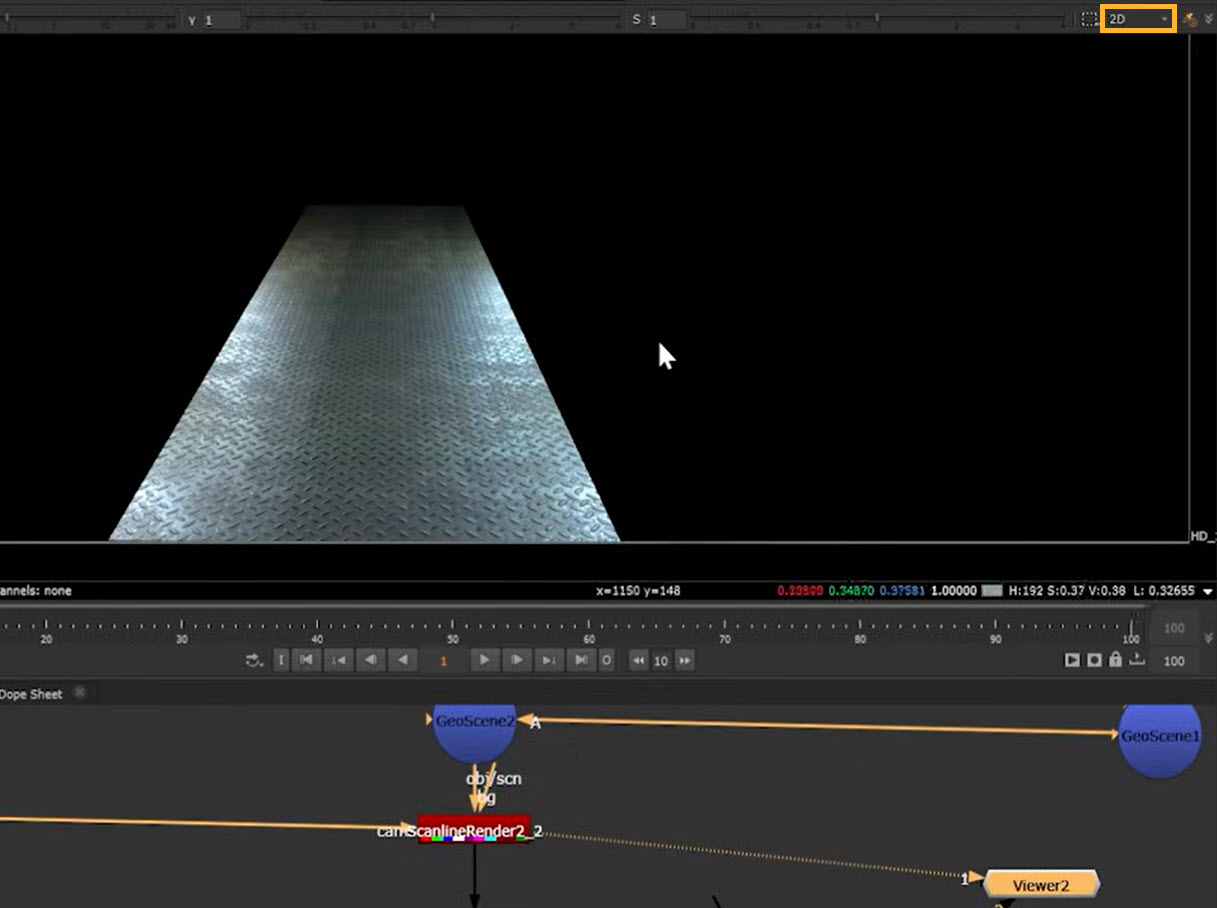
| 4. | Add a ScanlineRender node downstream of your scene and switch to 2D mode in the Viewer to see how the render will look. |
Video: Watch our Lighting MaterialX for better renders Video to see this example in action, as well as further examples using coat and coat normals, and workflows referencing in pre-existing MaterialX materials.