 Search Tips
Release Notes for Flix 8.1.0
Release Date
11 May 2026
For a detailed guide on upgrading to Flix 8.1.0, refer to the Upgrading to Flix 8.1.0 section at the bottom of this page.
New Features
Mixed aspect ratio between Shows and Sequences
Flix now provides the option to select different aspect ratios for sequences within the same show — for planning more dynamic shows with aspect ratio changes between cuts.
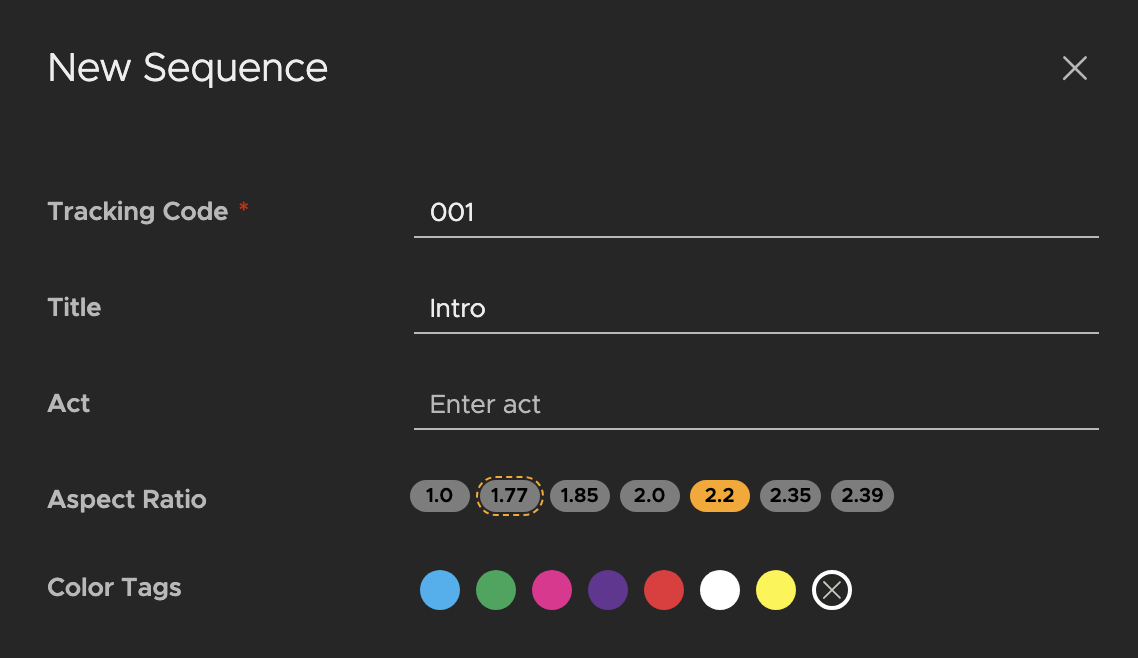
Note: Read more at Creating a Show and Creating a Sequence.
Contact sheet customization
See all Panel dialogue from the Contact Sheet. Use the new customization options, such as font size and dynamic text scaling, to specify how the text is displayed, ensuring all dialogue is visible.
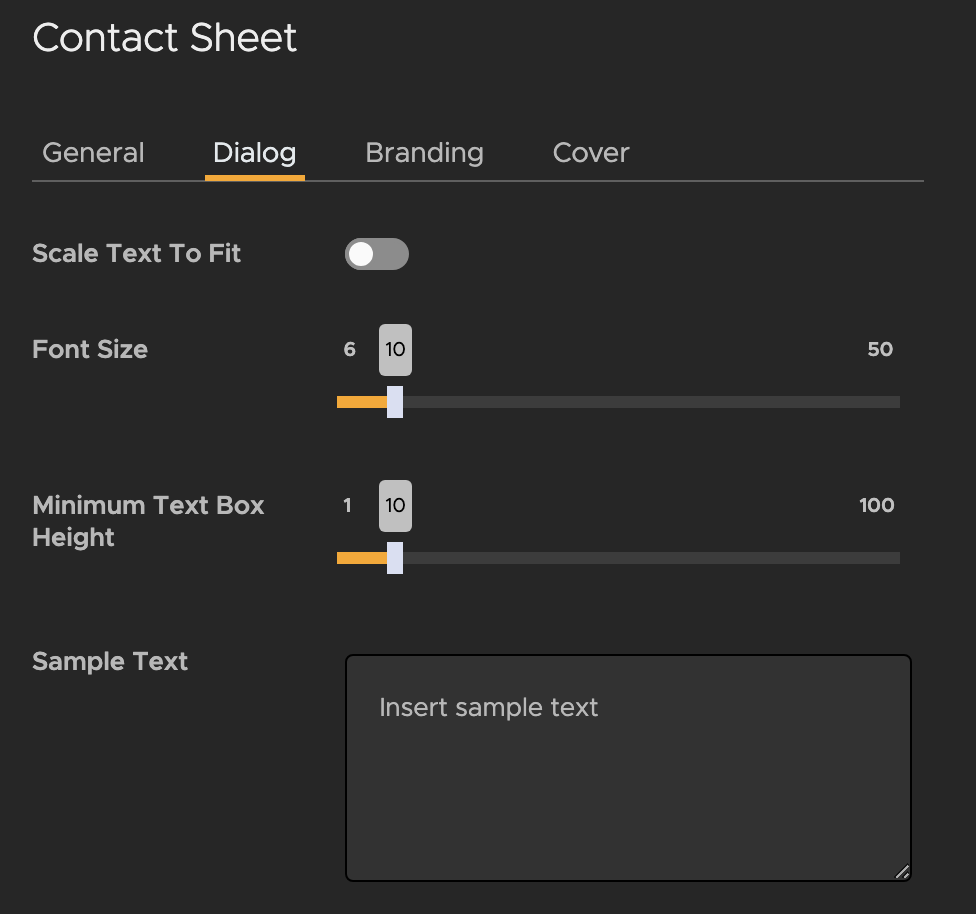
Note: Read more at Creating a New Contact Sheet Template.
Panel highlighting
When filtering panels in your sequence revision by highlight color, you now have the option to select multiple highlights, for more control when using highlights to organize your panels.
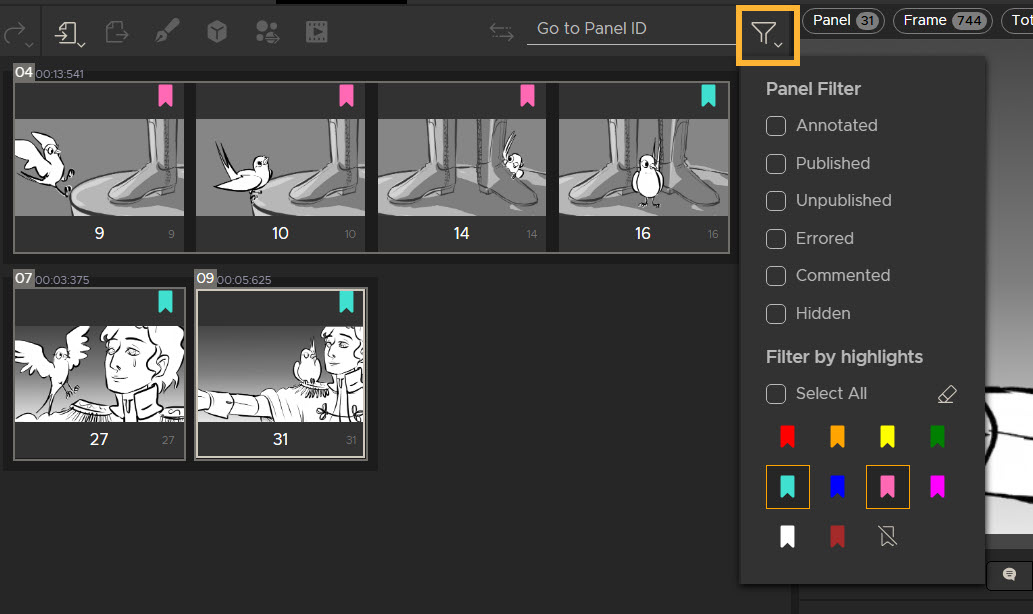
Note: Read more at Filtering by Highlights.
Sequence Revision performance
Speed up your Sequence Revision List loading times, even for large shows with thousands of revisions, with reduced unnecessary data retrieval and vastly improve loading efficiency.
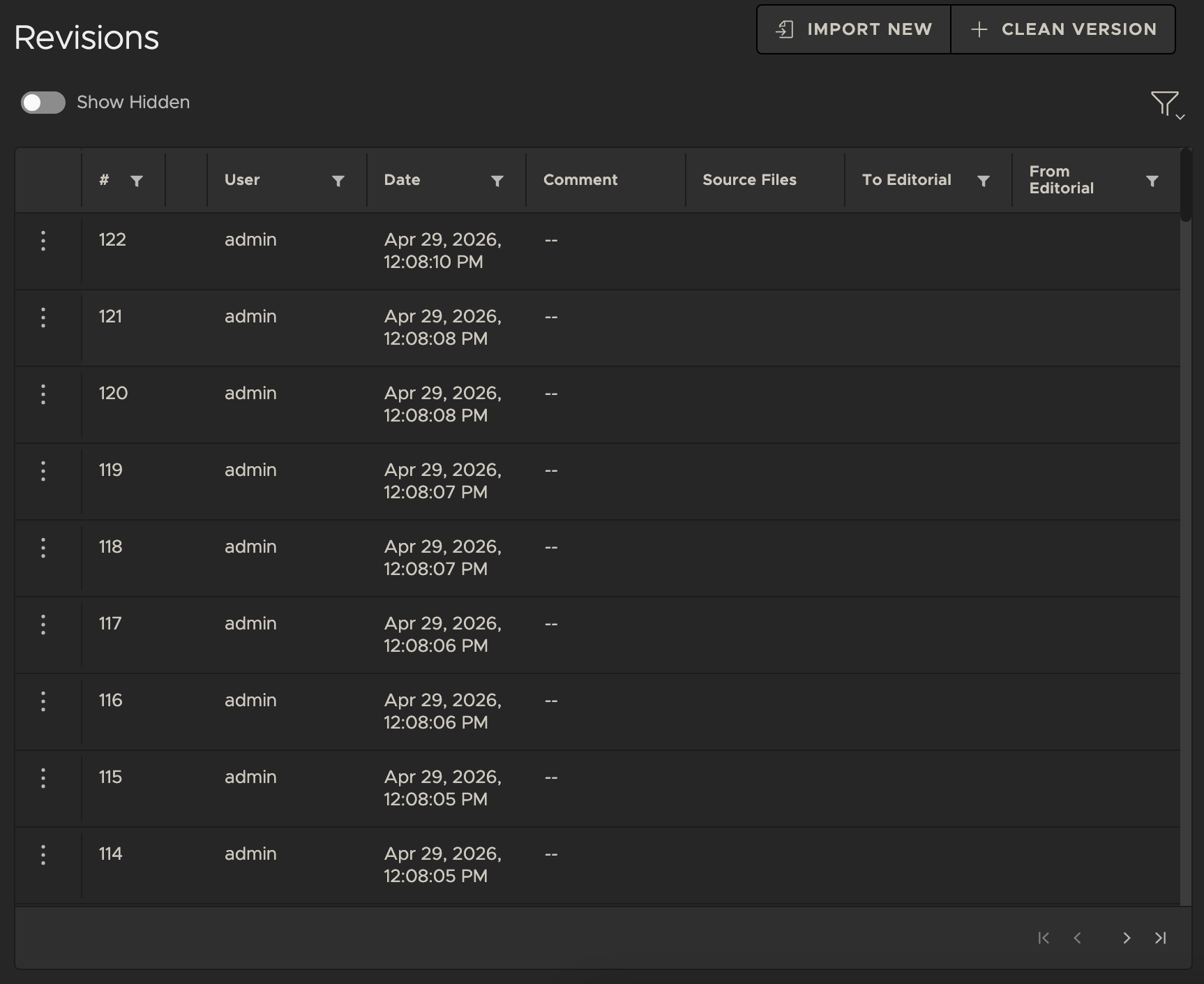
Note: Read more about creating a new Sequence at Creating a Sequence.
Sentry support
Flix 8.1 enables pipeline teams and Foundry support to respond to issues more quickly and efficiently. Sentry integration securely logs and sends anonymized user interactions, errors, and telemetry data to the server.
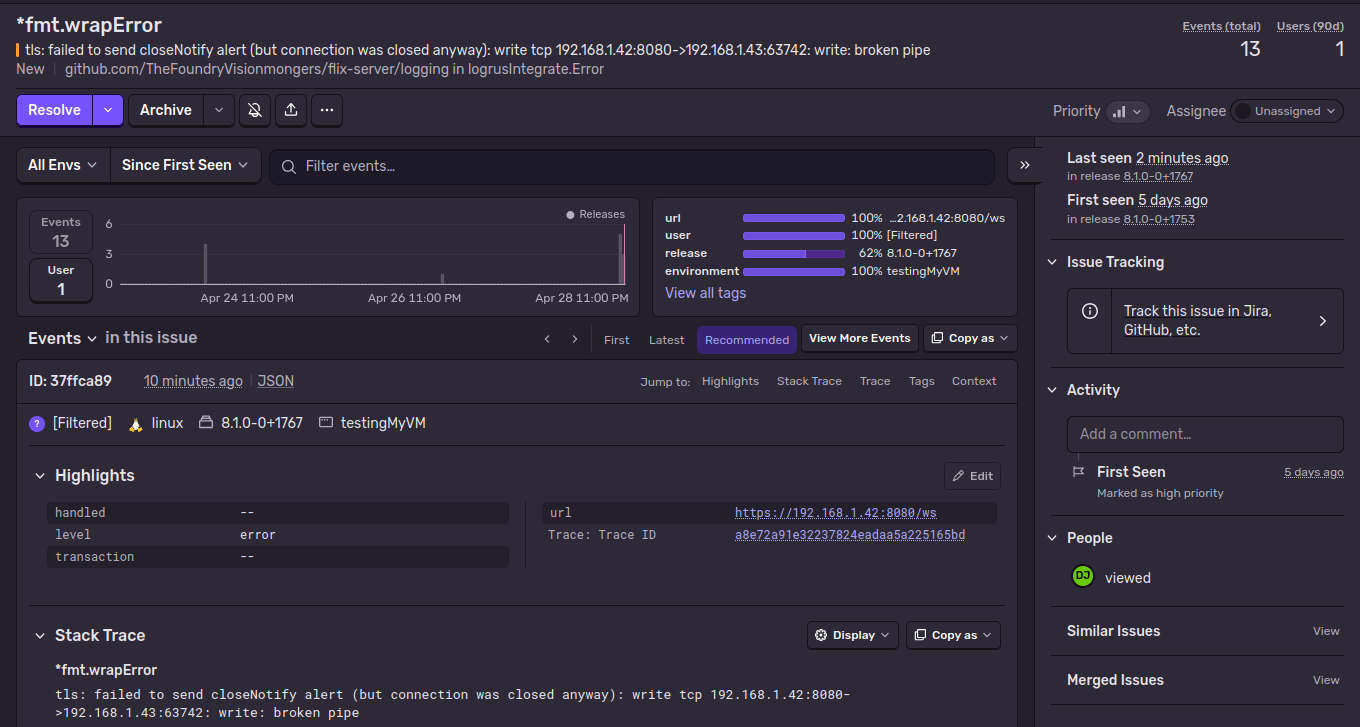
Note: Read more at Data Analytics.
API key management
Easily create and delete API keys - improving your developers' experience working with Flix APIs and customization.
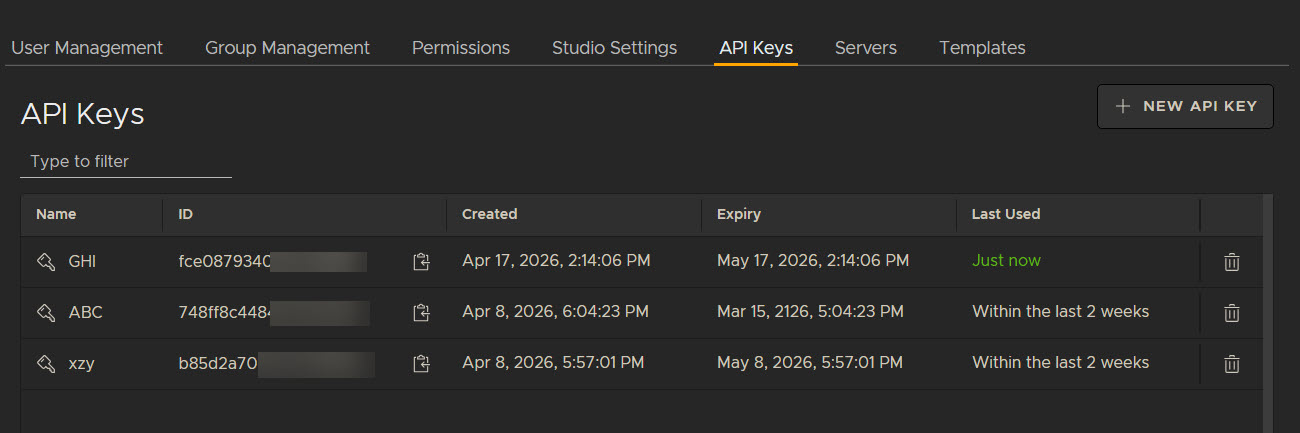
Note: Read more at Managing API Keys in Flix Client.
Feature Enhancements
• ID 477293 - Allow users to access Flix through API calls at the same time, regardless of authentication method set in config.yml.
• ID 508094 - A way for aspect ratio to be set/changed at sequence level.
• ID 598533 - Add support to read from one MySQL server and write to another.
• ID 610057 - Add an option to disable panel reuse for a studio or show.
Bug Fixes
• ID 465254 - Thumbnails rendered from movs with an aspect ratio other than 1.77 were one pixel higher in size than they should be.
• ID 481837 - Changing the aspect ratio for a show will now change the blank asset for new sequences.
• ID 592245 - Fixed some overlapping icons.
• ID 592542 - Fixed some overlapping icons.
• ID 599951 - Mac ARM builds no longer crash when closing the app through the dock.
• ID 601742 - Browser client could display incorrect progress amounts in the transfer UI.
• ID 602369 - Store Source File is now respected at show level.
• ID 602438 - 3D Warps that rotate to end at the start position will now correctly version up.
• ID 604549 - Some edits in the revision list did not immediately update.
• ID 605167 - When shift clicking panels, when going back to the start position, the previously added panels are now removed from the selection.
• ID 607182 - Starting multiple servers at the same time will no longer attempt to write to the same file, which could cause a failure to launch.
• ID 607896 - Canceling Storyboard pro imports no longer errors.
• ID 608103 - You can no longer deselect all panels with the ctrl/cmd key.
• ID 608543 - The playback view now correctly displays the panels if they have been reused.
• ID 609524 - Publish to Editorial webhook now emits the event when publishing to Avid.
• ID 610853 - Duplicate Panels that are subsequently duplicated in editorial could use the wrong panel id.
• ID 612640 - Adding panel comments to multiple panels will now apply the comment to all selected panels.
• ID 614369 - Supported Version information has been removed from the extension manager. Please visit the release notes to check supported versions.
• ID 615365 - The compare tool would show all panels as new.
• ID 615371 - Storyboard Pro projects that have been conformed in the same Storyboard Pro file will now correctly relink.
• ID 615837 - Sending Source Media with the Client API could cause future Client API imports to become blocked.
• ID 616408 - Improved performance when querying many panels.
• ID 616855 - Improved performance when querying many panels.
• ID 616946 - Improved performance when querying many panels.
• ID 617311 - Importing a panel from an Avid clip now correctly letterboxes the panel and includes the burn-in.
• ID 618299 - Flix no longer ignores fillers when importing AAFs.
Known Issues
This section covers new known issues and gives workarounds for them, where appropriate.
• ID 601577 - Importing multiple sequences to the same show will cause lock errors.
• ID 604909 - Dialogue editor does not immediately update when sending dialogue with the Client API.
• ID 605159 - Pressing new shot over an existing shot will give unexpected names.
• ID 605602 - Unintuitive error is displayed when sending unsupported images to SBP.
• ID 605892 - Unable to install Maya plugin on Maya2025.
• ID 605940 - Storyboard Pro import fails to create separate shots when transitions are present.
• ID 606293 - Issues with panels when using Storyboard Pro 25.0.0. Please update to Storyboard Pro 25.0.1.
• ID 606448 - Sending transitions from Storyboard pro can send the wrong panel.
• ID 606849 - Saving a revision whilst a imported mov panel is still generating its thumbnails sets the Trim In value to an invalid value. Please refresh the sequence and edit the value to fix.
• ID 606850 - Cannot install SBP Extension to multiple versions.
• ID 607474 - Panels fail to relink after roundtrip via Premiere 25.4 and above.
• ID 618090 - Entering 100 into the Text Box height field of contact sheet templates can cause incorrect results.
• ID 618703 - You can create multiple sequences if clicking create multiple times whilst the new sequence dialogue is still processing the request.
System Requirements
Flix Server
Note: Flix Server is built and tested exclusively on Intel processors. Running the Flix Server on AMD processors may lead to unexpected runtime errors.
Warning: For security reasons, the date and time for the machine on which Flix Server is installed needs to be set correctly. This also applies to virtual machines. For more information, please refer to this Knowledge Base article.
Linux
Note: The volume where the /tmp directory resides should have at least twice as much free space as the largest AAF imported into Flix. We recommend at least 16 GB, which is enough for most studios.
The recommended requirements are:
| Item | Requirements |
|---|---|
|
Operating System |
Rocky 9 |
|
RAM |
At least 16 GB |
|
CPU |
A 64-bit Intel processor @ 3.2 GHz, or higher 8 cores, or more |
The minimum requirements are:
| Item | Requirements |
|---|---|
|
Operating System |
Rocky 9 Note: Flix Server is built and tested exclusively on Intel processors. Running the Flix Server on AMD processors may lead to unexpected runtime errors. |
|
RAM |
At least 8 GB Note: The volume where the /tmp directory resides should have at least twice as much free space as the largest AAF imported into Flix. We recommend at least 8 GB, which is the minimum storage requirement. |
|
CPU |
A 64-bit Intel processor @ 2 GHz, or higher |
Flix Client
Note: Flix Client is currently not available on Linux. Other operating systems may work with Flix Client, but have not been fully tested.
macOS
Article: For more information on Foundry products and supported macOS versions, see Foundry Knowledge Base article Q100592.
| Item | Properties |
|---|---|
|
Operating System |
• Sonoma • Sequoia |
|
RAM |
4 GB |
|
Processor |
ARM-based Apple Silicon processor 2 GHz or faster processor with SSE 4.2, or later |
Windows
| Item | Properties |
|---|---|
|
Operating System |
• Windows 10 (Deprecated) • Windows 11 |
|
RAM |
4 GB |
|
Processor |
A 64-bit processor @ 2 GHz, or higher |
Third-Party Application Support
Note: Photoshop support requires some extra set up before you install the plug-in, see Installing Plug-ins for Photoshop for more information.
|
Application |
Supported Versions |
|---|---|
|
Adobe Photoshop |
CC 2024, 2025 |
|
Adobe Premiere |
CC 2024, 2025 |
|
Toon Boom Storyboard Pro |
2022 (Deprecated), 2024, 2025 |
|
Avid Media Composer |
2023, 2024 |
Upgrading to Flix 8.1.0
This update requires end users to upgrade Flix Client to version 8.1.0.
If you're running a Mac with an ARM-based Apple Silicon processor and you want to switch to a version of Flix Client which uses Apple Silicon natively, you must download and install the Apple Silicon-specific Flix Client manually from:
https://www.foundry.com/products/flix/download
Note: If you use the Flix Client auto-update feature in a version earlier than 6.5.0, the client will be updated to the latest Intel version using Rosetta emulation.
Additionally:
- The new Transfer Utility port must be accessible on each server and all clients. The default port number is 9091, but the port can be changed by setting the client_transfer_port parameter in the config.yml file to a different port number. See Flix Server Options for more information.
From Flix 6.3.7, or Later
- DB upgrade (v29 -> v58) - see Upgrading Flix for more information.
- Photoshop Plugin update - see Manually Installing the Photoshop Plug-in for End Users for more information.
