Search Tips
Setting and Changing Channel Properties
| 1. | To change the color depth of an existing channel, either: |
• right-click in the Channels palette, and select Convert Channel from the dropdown menu,
• with the channel selected, click  , or
, or
• from the Channels menu, select Convert Channel.
The Convert Channel dialog box displays.
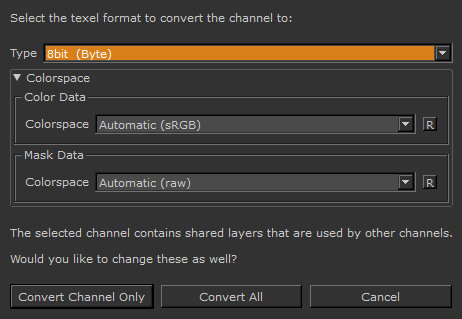
| 2. | Select the new Type (color depth) and the base color for the channel, and click Ok. For more details, |
Video: Watch the demo.
This video shows the workflow using Mari 3. Even though the Mari 4 workspace is different, the workflow remains the same. To have a look at the main UI differences, see Mari 3.3 vs 4.0.