Search Tips
UsdSuperLayer Framework
The UsdSuperLayer allows a new framework to create and edit any prim in Katana.
This framework forms the basis of both the UsdSuperLayer node and the UsdGaffer node in Katana. These two nodes have the same versatile toolset and essentially work the same way, except UsdSuperLayer allows any type of prim, and UsdGaffer is adapted for the purpose of light creation and management. You’ll notice that the UI and functionality bear many similarities.
Both nodes harness USD’s layer-based system, bringing flexibility and seamless integration across your pipelines. Its tools are user friendly and customizable, as well as faster and more scalable than the typical node-based framework.
Why did we introduce this?
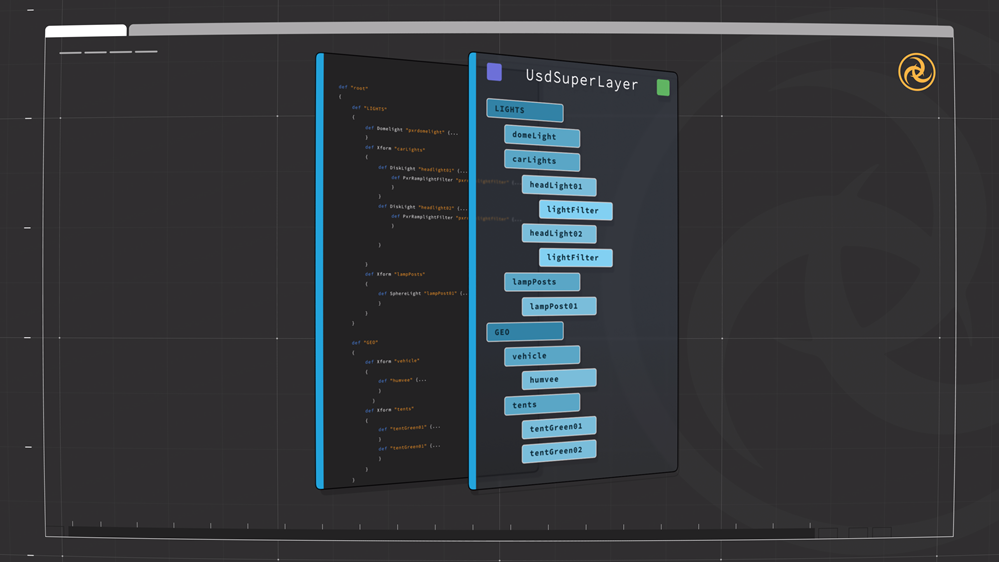
In most node-based applications, USD nodes typically use an engine that produces a new USD layer for each node. When considering a system that manipulates many prims in a single node, an option would be to generate these nodes under the hood, however the generation of a layer per prim would lead to large computational costs. In the case of light creation, they could be generated in the hundreds within a single node. This is why the UsdSuperLayer was introduced, to create a dynamic framework that will be scalable and generate a serialised USD layer under the hood, rather than nodes.
What does this mean?
Increased Performance:
UsdSuperLayer now stores changes in one USD layer which makes things much faster.
Improved Customization:
• This node is highly customizable. You can add your own options and dropdowns, and edit the interface.
• It’s not limited to lights - the UsdSuperLayer allows the manipulation of any prim, and can be extended to create them.
• It has a plugin system that allows you to incorporate proceduralism when needed. See Customizing UsdSuperLayer.
Improved Scene Management:
• The treeview is used to add, organize, and view prims. Clicking on prims here will open their Parameters below.
• The treeview is flexible and user friendly. You can easily organise prims, and populate it using a variety of methods, such as dragging and dropping paths from the Scene Explorer into it.
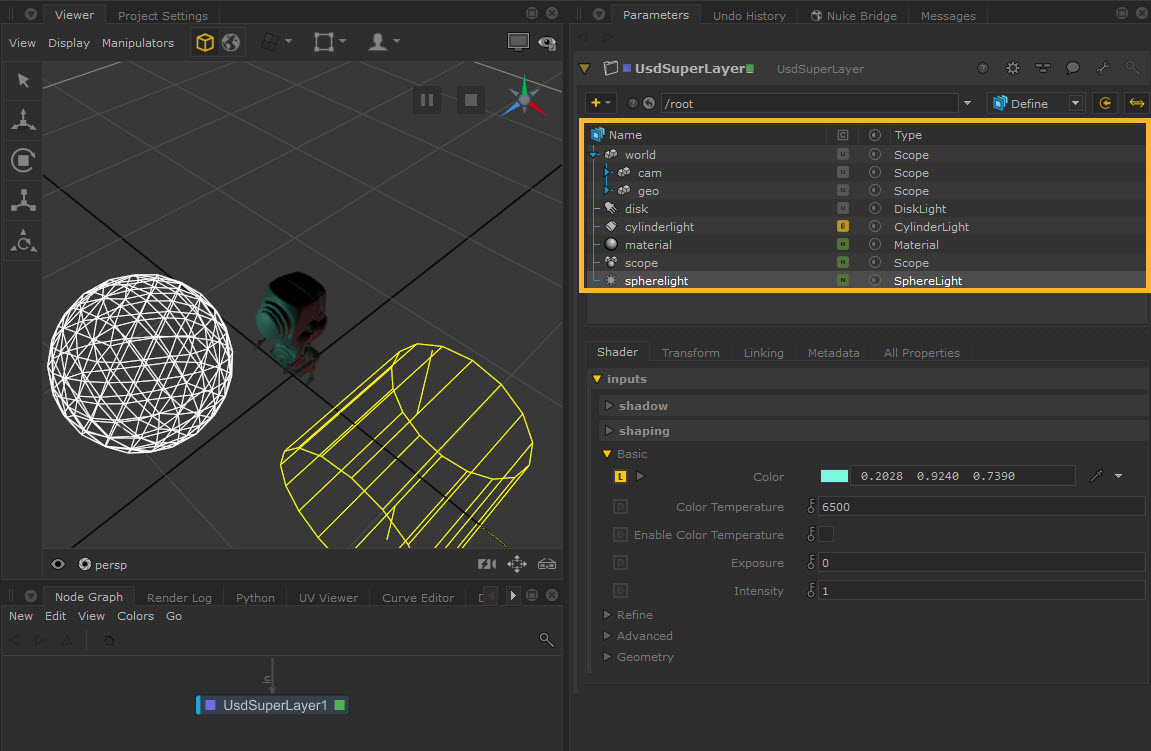
• This means you can modify and edit attributes on mass.
• You can also include incoming prims from other nodes in your treeview, but be aware that any changes will only be reflected if they are made inside the UsdSuperLayer rather than the original source.
See Using UsdSuperLayer to learn more about the editing prims and how to use the node.